Secret stores
A secret store lets a pipeline use a password that stays in your own secret manager. Marmot stores where the password lives and reads the value shortly before each run. A federated store signs in to your secret manager with a 5-minute token your instance issues itself, so there's no stored credential for reading credentials either.
For sources in Google Cloud, AWS or Azure you often don't need a secret at all: a keyless pipeline authenticates as itself.
Before you start
- You hold
secretStore.adminacross the whole catalog. - Your secret manager is Google Secret Manager, AWS Secrets Manager, Azure Key Vault or HashiCorp Vault, reachable at a public address.
Stores and secrets
A store is a connection to one secret manager. Keep one per account or environment, so production and staging are two stores. A secret is the address of one value inside a store. It holds no value, so it's safe in configuration files and in git.
Each backend federates through its own fields, and every store should set them. Without them a store reads with the Marmot server's own credentials and has no identity of its own for you to grant.
- Google Secret Manager: Workload Identity Provider.
- AWS Secrets Manager: Role ARN.
- Azure Key Vault: Tenant ID and Client ID.
- HashiCorp Vault: Role.
Register a store
A federated store can't be renamed, because the name is its identity. Name it after the account it reaches, not the first thing you use it for.
Create the store:
- UI
- Terraform
- Open Settings → Secret stores and select New secret store.
- Enter a Name, such as
gcp-prod, and choose the backend under Where do the secrets live?. - Fill in the Configuration, including the fields that federate the store.
- Select Create secret store.
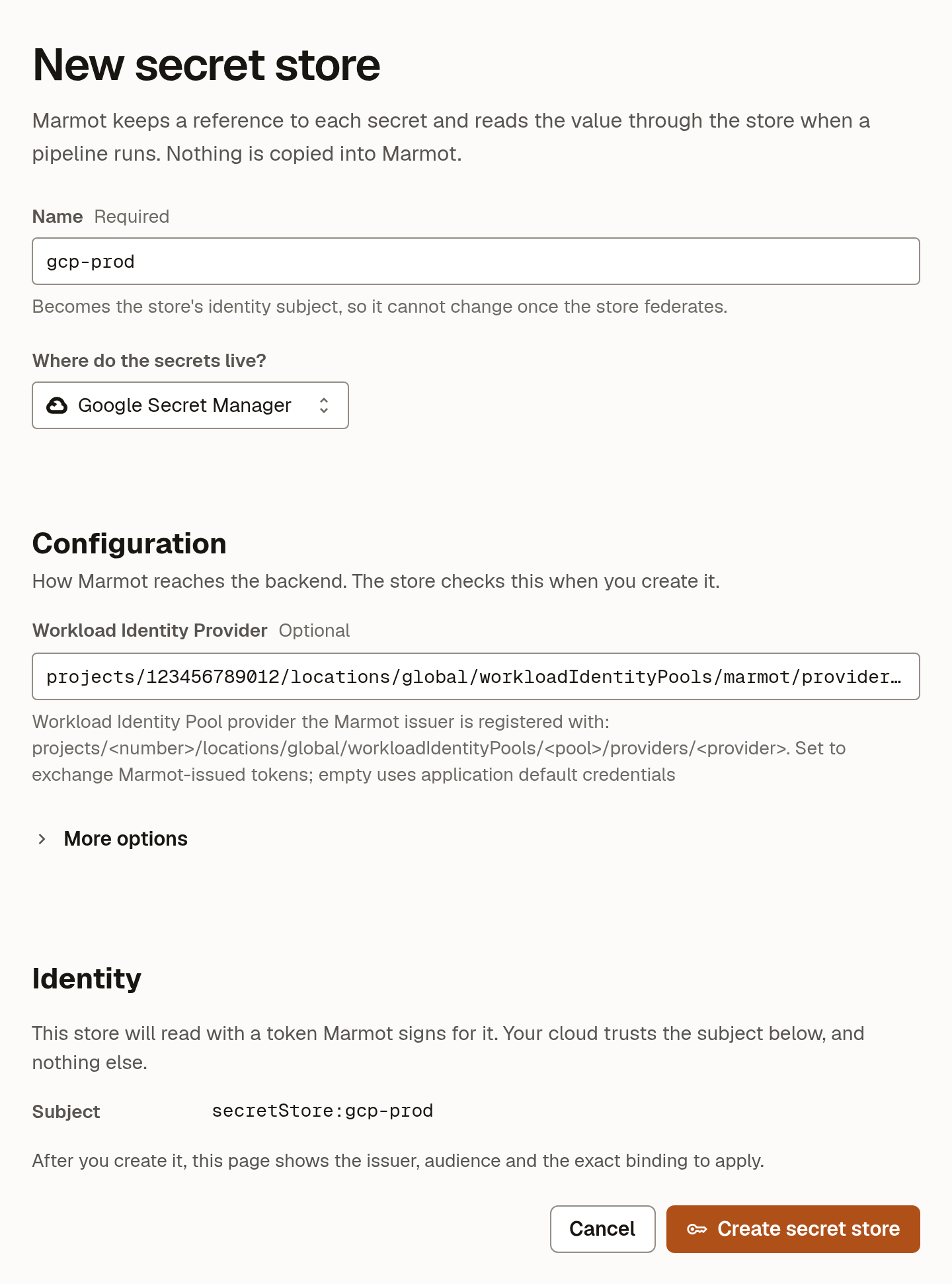
<provider> is your Workload Identity provider's resource name, projects/<project-number>/locations/global/workloadIdentityPools/marmot/providers/marmot:
resource "marmot_secret_store_google" "prod" {
  name                       = "gcp-prod"
  workload_identity_provider = "<provider>"
}

resource "marmot_secret_store_aws" "prod" {
  name     = "aws-prod"
  role_arn = "arn:aws:iam::<account-id>:role/marmot-secret-store"
}

resource "marmot_secret_store_azure" "prod" {
  name      = "azure-prod"
  tenant_id = "<tenant-id>"
  client_id = "<client-id>"
}

resource "marmot_secret_store_vault" "prod" {
  name    = "vault-prod"
  address = "https://vault.example.com"
  role    = "marmot"
}
Each store resource exposes issuer, subject and audience to reference from the trust on your cloud's side.
The store's page shows the Issuer, Subject and Audience under Identity, with the commands to trust them in your cloud or Vault already filled in.
Trust the store
A store signs in with a token from https://<instance>.marmotdata.cloud whose subject is secretStore:<store-name>. The audience is sts.amazonaws.com on AWS, api://AzureADTokenExchange on Azure, the provider's own on Google Cloud and the Vault address on Vault.
Grant the store's subject the secrets it should read and nothing else. The guide for your cloud does this end to end in the console, the CLI or Terraform: Google Cloud, AWS or Azure.
For Vault, enable the JWT auth method, point it at your instance and add a role bound to the store's subject. The Vault server needs a public HTTPS address, because your instance connects to public addresses only.
- Vault CLI
- Terraform
vault auth enable jwt

vault write auth/jwt/config \
  oidc_discovery_url="https://<instance>.marmotdata.cloud"

vault policy write marmot-vault-prod - <<'EOF'
path "secret/data/orders/*" {
  capabilities = ["read"]
}
EOF

vault write auth/jwt/role/marmot \
  role_type="jwt" \
  user_claim="sub" \
  bound_subject="secretStore:vault-prod" \
  bound_audiences="https://vault.example.com" \
  token_policies="marmot-vault-prod"
resource "vault_jwt_auth_backend" "marmot" {
  path               = "jwt"
  oidc_discovery_url = marmot_secret_store_vault.prod.issuer
}

resource "vault_policy" "marmot" {
  name = "marmot-vault-prod"

  policy = <<-EOT
    path "secret/data/orders/*" {
      capabilities = ["read"]
    }
  EOT
}

resource "vault_jwt_auth_backend_role" "marmot" {
  backend         = vault_jwt_auth_backend.marmot.path
  role_name       = "marmot"
  role_type       = "jwt"
  user_claim      = "sub"
  bound_subject   = marmot_secret_store_vault.prod.subject
  bound_audiences = [marmot_secret_store_vault.prod.audience]
  token_policies  = [vault_policy.marmot.name]
}
A JWT auth method mounted somewhere other than jwt goes in the store's Auth Path. Vault Enterprise namespaces and private certificate authorities go in Namespace and CA Certificate.
Register a secret
Register each secret a pipeline may read, by its address in the store:
- UI
- Terraform
- Open the store under Settings → Secret stores.
- Select Register secret and enter the secret's address fields.
- Select Register secret.
resource "marmot_secret_store_google_secret" "orders_db_password" {
  store     = marmot_secret_store_google.prod.id
  project   = "analytics-prod"
  secret_id = "orders-db-password"
}
| Backend | Address fields | Version read by default |
|---|---|---|
project, secret_id, and location for a regional secret | latest | |
| AWS | secret_id as an ARN, or region and secret_id | The AWSCURRENT stage |
| Azure | vault_uri, name | The latest |
| Vault (KV v2) | mount (default secret), name, and key when the secret holds more than one | The latest |
Leave the version unset. Marmot then reads the current value on every run, and you rotate the password entirely in your secret manager.
Check that it worked
Open the store under Settings → Secret stores and select Test access. Marmot reads the first registered secret through the store and discards the value. Testing needs a registered secret and secretStore:read on the store.
Use a secret in a pipeline
Point a pipeline's password field at a registered secret. Marmot fills in the value before each run, keeps it in memory for the run and then discards it:
- UI
- Terraform
- In the pipeline's configuration, find the password field and choose From secret store.
- Pick the secret.
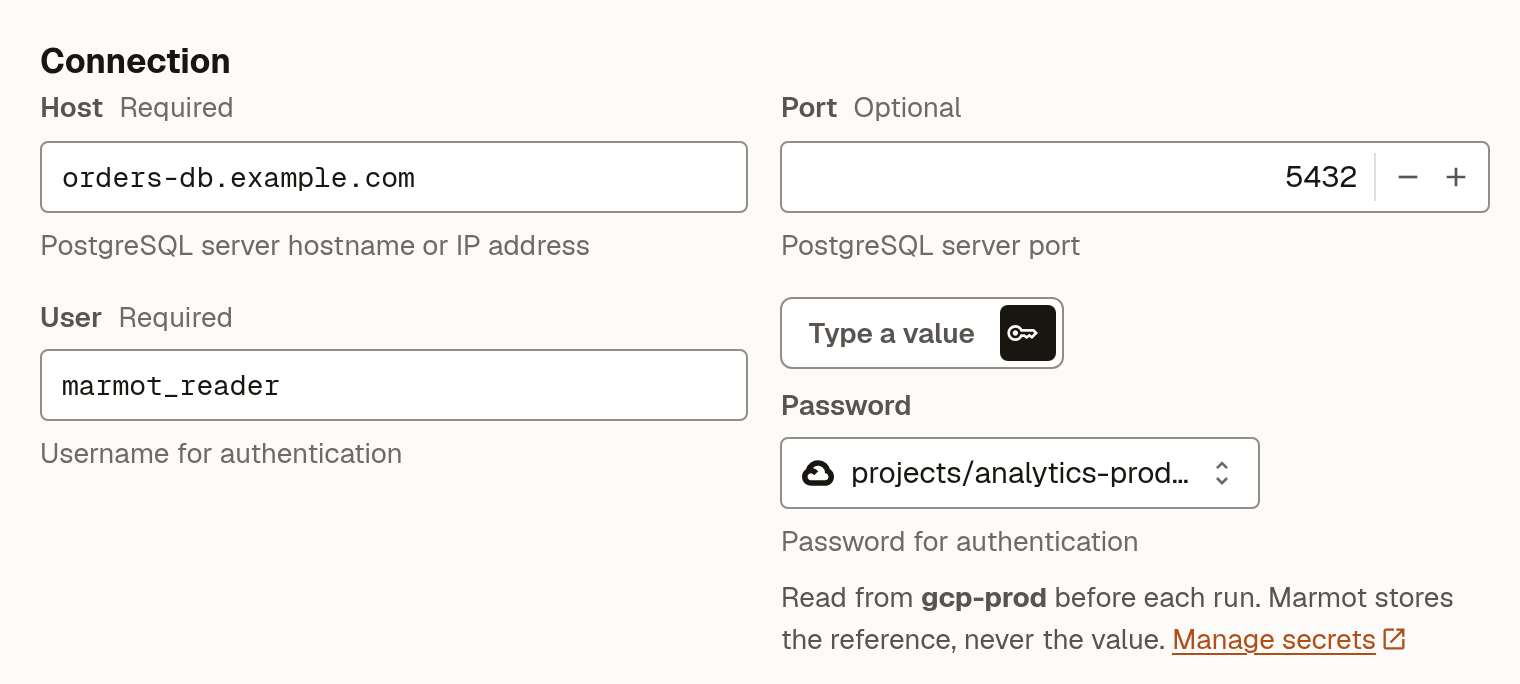
The pipeline's secrets map names a config key and the secret that fills it. Leave that key out of config.
resource "marmot_pipeline" "orders" {
  name            = "orders"
  plugin_id       = "postgresql"
  cron_expression = "0 * * * *"

  config = jsonencode({
    host = "orders-db.example.com"
    user = "marmot_reader"
  })

  secrets = {
    password = marmot_secret_store_google_secret.orders_db_password.id
  }
}
A member with secretStore.reader can also read a value directly, with Reveal on the store's page or through the API. It's how an agent gets a credential without that credential appearing in any configuration file.
Who can do what
| Role | Can | Can be granted on |
|---|---|---|
secretStore.viewer | See a store and its secrets, without values. | Whole catalog, secret store |
secretStore.user | Register secrets and attach them to pipelines, without values. | Whole catalog, secret store |
secretStore.reader | Read values. | Whole catalog, secret store |
secretStore.admin | Create, edit and delete stores, and everything the other roles can. | Whole catalog |
The line that matters is between user and reader. Writing a pipeline means saying where its password comes from, not seeing it, so almost nobody who writes pipelines needs the reader role.
Grant roles on a store from its page under Settings → Secret stores, as Grant a role shows.
Limitations
- A store whose secrets pipelines use can't be deleted. Detach the secrets from those pipelines first.
- Every run reads from your secret manager, because values are never kept.
Next steps
- Connect your cloud: trust a store end to end on Google Cloud, AWS or Azure.
- Publish private plugins: run your own plugins on your instance.