Query Language
Marmot provides a query language for searching and filtering assets in your catalog. The language supports free-text search, field-specific filters, comparison operators and boolean logic.
The query language is entirely optional. Simple free-text searches work well for everyday discovery. When you need precision, such as finding all Kafka topics owned by a specific team or tables with more than a million rows, the query language gives you that control. Queries are also repeatable and shareable, making it easy to bookmark common searches or share them with your team.
Where It's Used
The query language powers several features across Marmot:
Search
Find assets quickly using free-text or precise field filters in the global search bar.
Data Products
Define dynamic rules that automatically include matching assets in your Data Products.
Build Dynamic Data Products
Use the query language to create rules that automatically group related assets. As your catalog grows, matching assets are included automatically.
Learn About Data ProductsQuery Builder
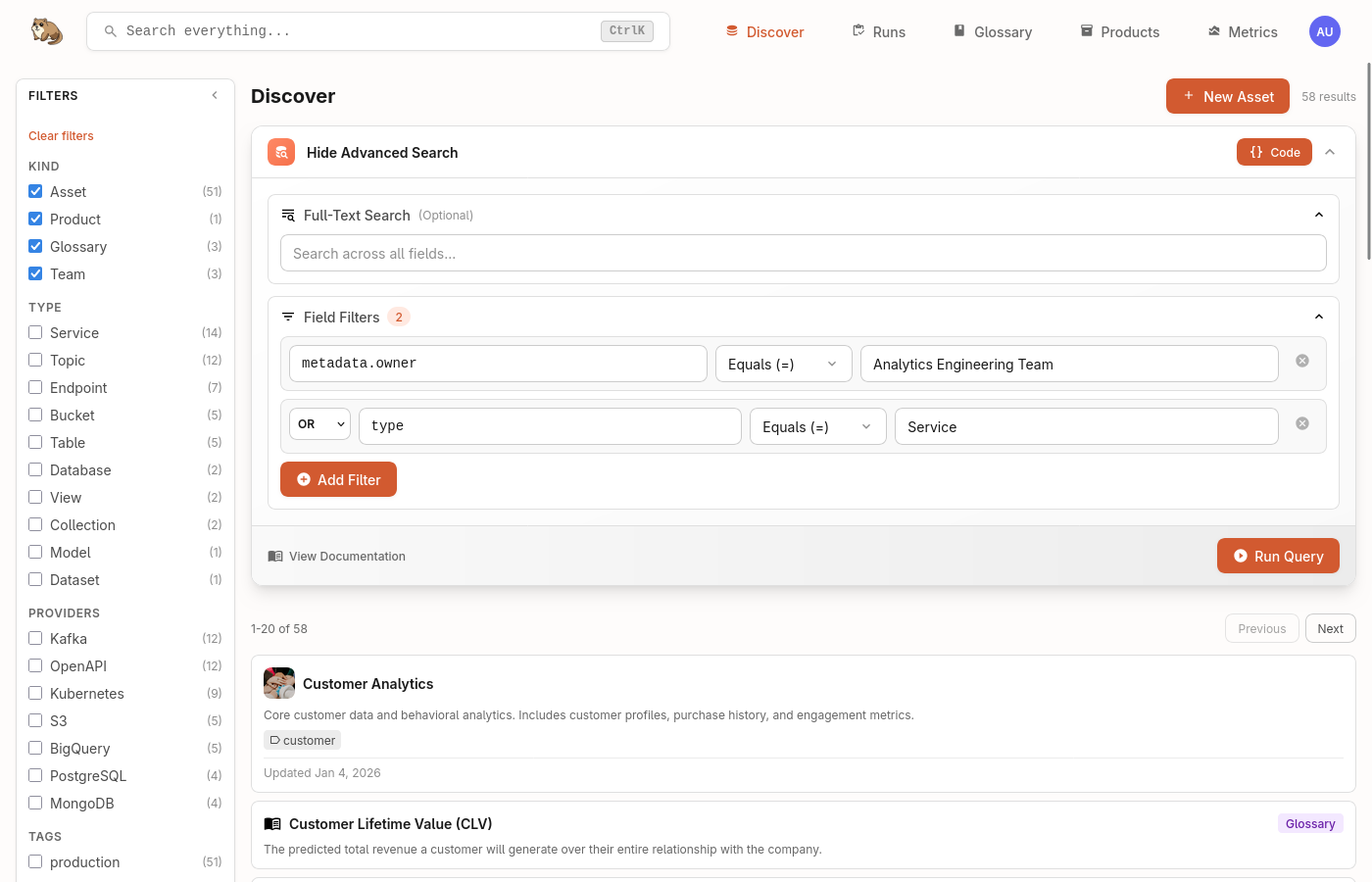
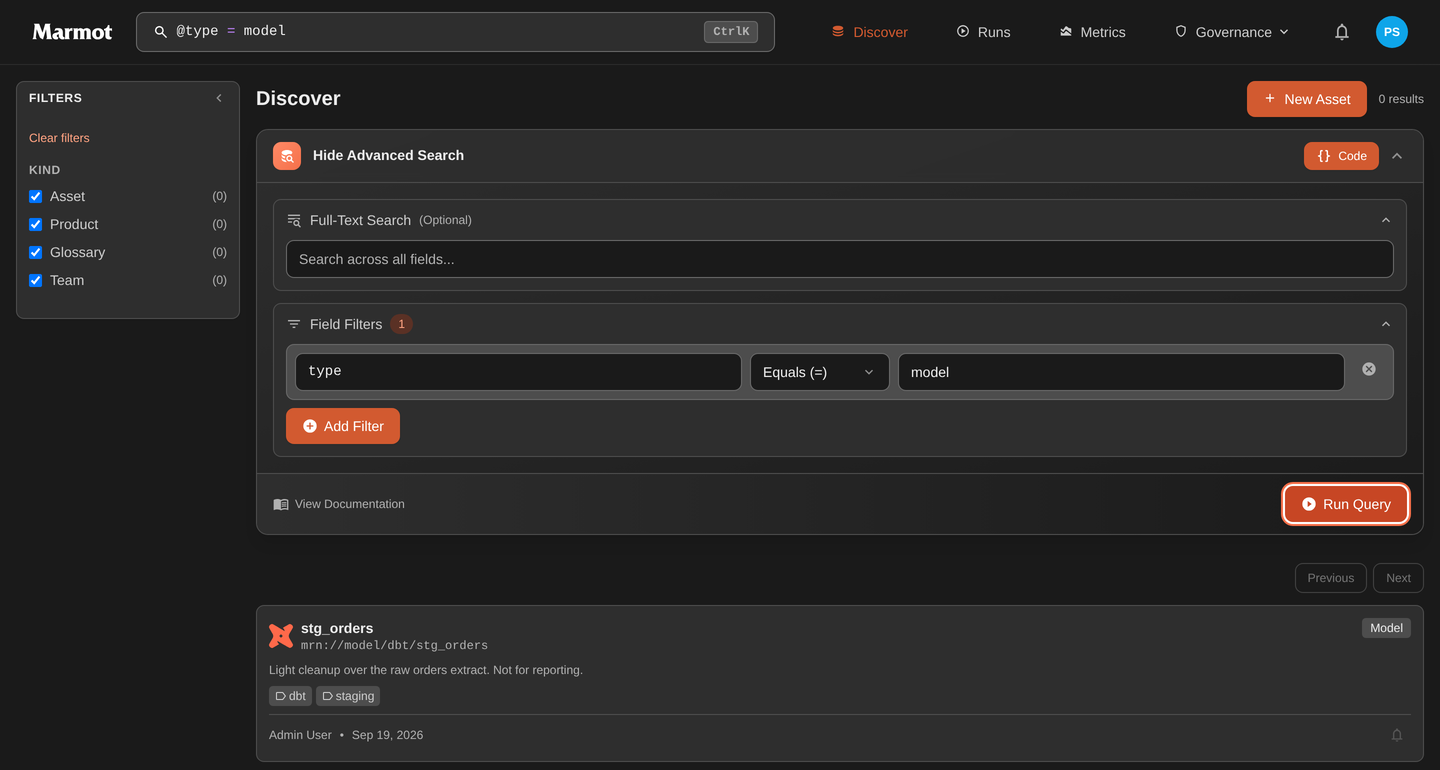
The search bar includes a visual query builder that helps you construct queries without memorising the syntax. Click the filter icon to open it, select your field and operator, then enter your value. The builder generates the query syntax automatically.
Syntax Reference
Fields
Filter assets using field prefixes:
| Field | Description | Example |
|---|---|---|
@type | Asset type | @type: "table" |
@provider | Provider or platform | @provider: "kafka" |
@name | Asset name | @name: "users" |
@kind | Resource kind in Marmot | @kind: "asset" |
@metadata.* | Custom metadata fields | @metadata.team: "platform" |
Metadata supports dot notation for nested fields: @metadata.config.retention: "7d"
Operators
| Operator | Description | Example |
|---|---|---|
: or = | Exact match | @type: "table" |
!= | Not equal | @metadata.environment != "test" |
contains | Substring match | @name contains "customer" |
> < >= <= | Numeric comparison | @metadata.partitions > 10 |
range | Numeric range | @metadata.size range [100 TO 500] |
* | Wildcard | @name: "customer*" |
Boolean Logic
Combine filters with AND, OR and NOT. Use parentheses to control precedence:
# Multiple conditions
@type: "topic" AND @provider: "kafka"

# Either condition
@metadata.priority: "high" OR @metadata.criticality: "critical"

# Exclusion
@metadata.environment: "production" AND NOT @name contains "test"

# Grouped logic
(@type: "table" OR @type: "view") AND @provider: "postgres"
Examples
Search across asset names, descriptions and metadata without any special syntax.
user orders
Find all Kafka topics by combining type and provider filters.
@type: "topic" AND @provider: "kafka"
Find all assets owned by a specific team using custom metadata.
@metadata.team: "data-platform"
Filter assets based on numeric metadata values.
@type: "topic" AND @metadata.partitions > 10
Use wildcards when you don't know the exact name.
@name: "*customer*" AND @type: "table"
Use parentheses to control how conditions are combined.
(@type: "table" OR @type: "view") AND @provider: "postgres"
Need Help with Queries?
Join our Discord community to ask questions and share tips with other Marmot users.
Join Discord