Connect Google Cloud
Catalog BigQuery every 6 hours with a pipeline that authenticates to Google Cloud as itself, so there's no service account key to create, store or rotate.
Before you start
- You hold
ingestion.adminacross the whole catalog in your instance. - You have a Google Cloud project where you can create Workload Identity pools and IAM bindings. This page calls it
analytics-prod.
How it works
Before each run, your instance gives the pipeline a 5-minute token with the subject pipeline:<pipeline-name>. Workload Identity Federation exchanges it for Google credentials, so you grant each pipeline exactly the access it needs. Keyless pipelines explains the model.
Values you'll need
The steps use these values. Replace <instance> and <project-number> with your own:
- Issuer URL:
https://<instance>.marmotdata.cloud, with no trailing slash. Always themarmotdata.cloudaddress, even with a custom domain - Pool:
projects/<project-number>/locations/global/workloadIdentityPools/marmot, written$POOLbelow. It uses the project number, not the project ID - Provider:
$POOL/providers/marmot - Pipeline principal:
principal://iam.googleapis.com/$POOL/subject/pipeline:analytics
The commands read the pool from a shell variable:
POOL=projects/<project-number>/locations/global/workloadIdentityPools/marmot
Your first pipeline
Trust your instance
Create one Workload Identity pool with an OIDC provider for your instance. Keep the default audience.
- Console
- gcloud
- Terraform
- Open IAM & Admin → Workload Identity Federation and create a pool named
marmot. - Under Select a provider, choose OpenID Connect (OIDC), name it
marmotand enter the issuer URL. - Under Configure provider attributes, map
google.subjecttoassertion.suband select Save.
gcloud iam workload-identity-pools create marmot \--project=analytics-prod --location=globalgcloud iam workload-identity-pools providers create-oidc marmot \--project=analytics-prod --location=global \--workload-identity-pool=marmot \--issuer-uri="https://<instance>.marmotdata.cloud" \--attribute-mapping="google.subject=assertion.sub"provider "marmot" {host = "https://<instance>.marmotdata.cloud"}provider "google" {project = "analytics-prod"}resource "google_iam_workload_identity_pool" "marmot" {workload_identity_pool_id = "marmot"}locals {pool = google_iam_workload_identity_pool.marmotprincipal = "principal://iam.googleapis.com/${local.pool.name}/subject"}resource "google_iam_workload_identity_pool_provider" "marmot" {workload_identity_pool_id = local.pool.workload_identity_pool_idworkload_identity_pool_provider_id = "marmot"attribute_mapping = { "google.subject" = "assertion.sub" }oidc {issuer_uri = "https://<instance>.marmotdata.cloud"}}Grant the pipeline access
Grant the pipeline principal
roles/bigquery.metadataVieweron the project. It reads dataset and table structure but no rows.- Console
- gcloud
- Terraform
- Open IAM & Admin → IAM for
analytics-prodand select Grant access. - Enter the pipeline principal in New principals.
- Choose BigQuery Metadata Viewer and select Save.
gcloud projects add-iam-policy-binding analytics-prod \--role=roles/bigquery.metadataViewer \--member="principal://iam.googleapis.com/$POOL/subject/pipeline:analytics"The subject comes from the pipeline you declare in the next step, so a rename updates the grant too:
resource "google_project_iam_member" "marmot_reads_bigquery" {project = "analytics-prod"role = "roles/bigquery.metadataViewer"member = "${local.principal}/${marmot_pipeline.analytics.subject}"}Create the pipeline
Point the BigQuery plugin at your project and set the provider. The provider is what tells the plugin to sign in as the pipeline rather than look for a key.
- UI
- Terraform
- Open Plugins and select Google BigQuery under Add a source.
- Enter
analyticsas the Pipeline name and select Continue. - Set Project ID to
analytics-prodand Workload Identity Provider to the provider, leave the key fields empty and select Check and continue. - Turn on Run on a schedule, set it to
0 */6 * * *and select Create pipeline.
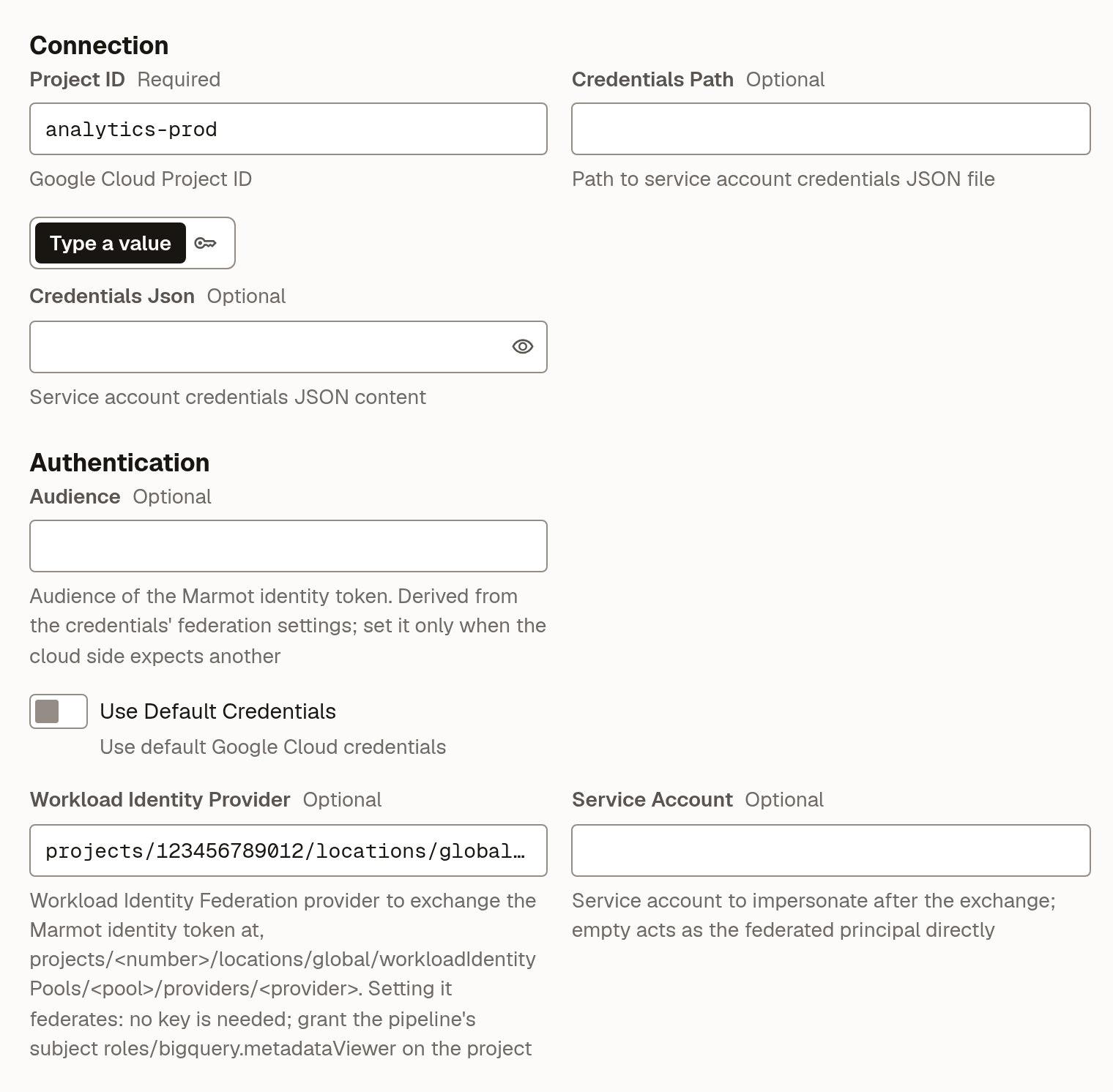
 resource "marmot_pipeline" "analytics" {name = "analytics"plugin_id = "bigquery"cron_expression = "0 */6 * * *"config = jsonencode({project_id = "analytics-prod"workload_identity_provider = (google_iam_workload_identity_pool_provider.marmot.name)})}
Check that it worked
The pipeline runs at its next scheduled time. To run it now, open it under Plugins and select Run now. When the run succeeds, your datasets and tables appear in Discover.
From the CLI, marmot runs list --pipelines analytics lists its runs.
Other Google Cloud sources
Every other Google Cloud plugin works the same way: set the provider in its config and grant the pipeline principal a read-only role. For Cloud Storage that's roles/storage.bucketViewer on the project. Each plugin's page in the plugin directory lists its configuration.
When a source needs a password
A Cloud SQL or self-managed Postgres can't federate, so its pipeline needs a real password. Keep it in Secret Manager and let Marmot read it at run time through a secret store. The store signs in through the same pool, as the subject secretStore:<store-name>.
Grant the store the secret
Grant
roles/secretmanager.secretAccessoron the one secret, not the project. The store will be calledgcp-prod.- Console
- gcloud
- Terraform
- Open Secret Manager and select the checkbox next to
orders-db-password. - In the info panel, select Add Principal and enter
principal://iam.googleapis.com/$POOL/subject/secretStore:gcp-prodwith your pool in place of$POOL. - Choose Secret Manager Secret Accessor and save.
gcloud secrets add-iam-policy-binding orders-db-password \--project=analytics-prod \--role=roles/secretmanager.secretAccessor \--member="principal://iam.googleapis.com/$POOL/subject/secretStore:gcp-prod"resource "google_secret_manager_secret" "orders_db_password" {secret_id = "orders-db-password"replication {auto {}}}resource "google_secret_manager_secret_iam_member" "marmot_reads_orders" {secret_id = google_secret_manager_secret.orders_db_password.idrole = "roles/secretmanager.secretAccessor"member = "${local.principal}/${marmot_secret_store_google.prod.subject}"}Create the store and register the secret
Create a store named
gcp-prodthat signs in through the same provider, then register the secret in it.- UI
- Terraform
- Open Settings → Secret stores and select New secret store.
- Enter
gcp-prodas the Name and choose Google Secret Manager under Where do the secrets live?. - Set Workload Identity Provider to the provider and select Create secret store.
- On the store's page, select Register secret, enter
analytics-prodas the Project andorders-db-passwordas the Secret ID, then select Register secret.
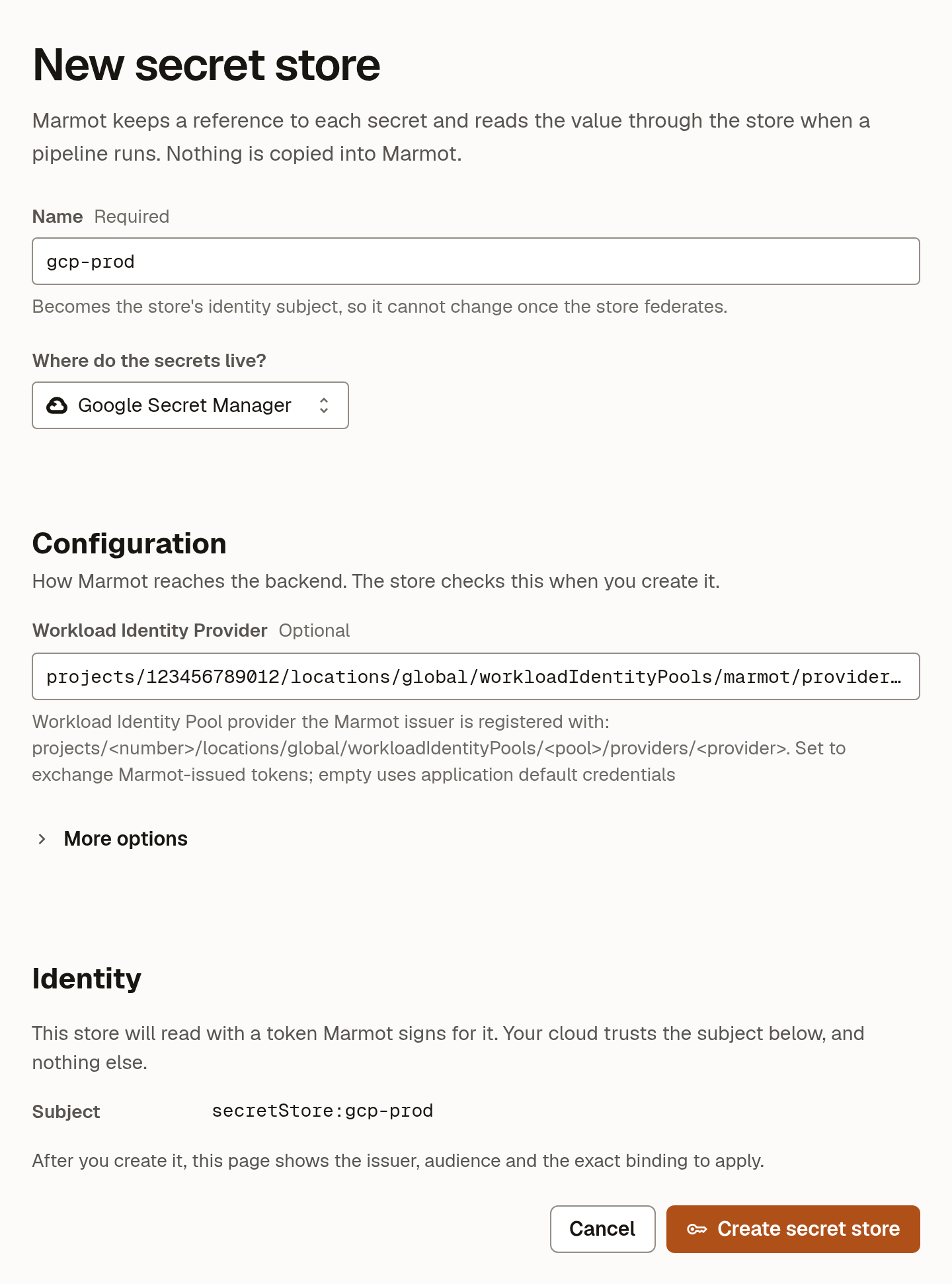
 resource "marmot_secret_store_google" "prod" {name = "gcp-prod"workload_identity_provider = (google_iam_workload_identity_pool_provider.marmot.name)}resource "marmot_secret_store_google_secret" "orders_db_password" {store = marmot_secret_store_google.prod.idproject = google_secret_manager_secret.orders_db_password.projectsecret_id = google_secret_manager_secret.orders_db_password.secret_id}
Use the secret in a pipeline
Create the PostgreSQL pipeline with its password read from the store. No version is pinned, so rotating the password is adding a version in Secret Manager.
- UI
- Terraform
- Open Plugins and select PostgreSQL under Add a source.
- Enter
ordersas the Pipeline name and select Continue. - Fill in Host and User. For Password, choose From secret store and pick the secret.
- Select Check and continue, set a schedule and select Create pipeline.
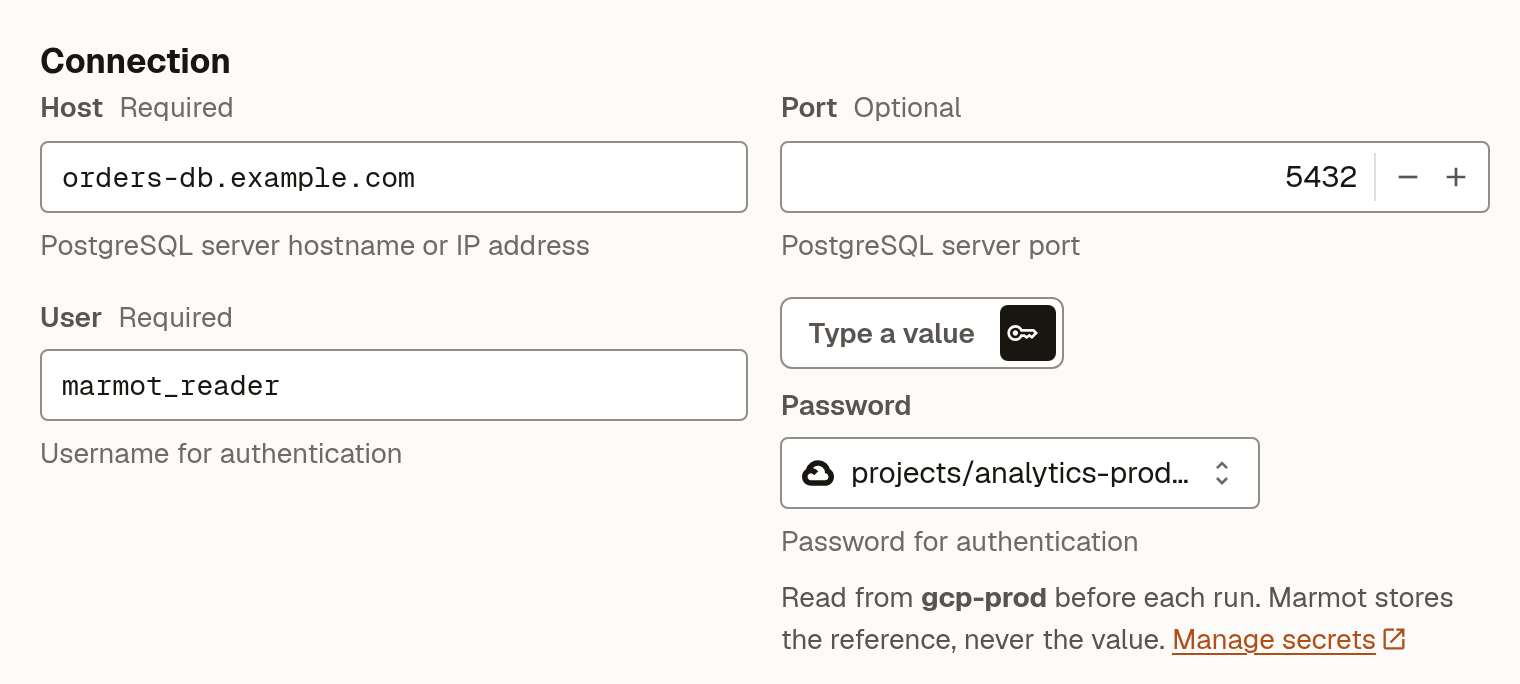
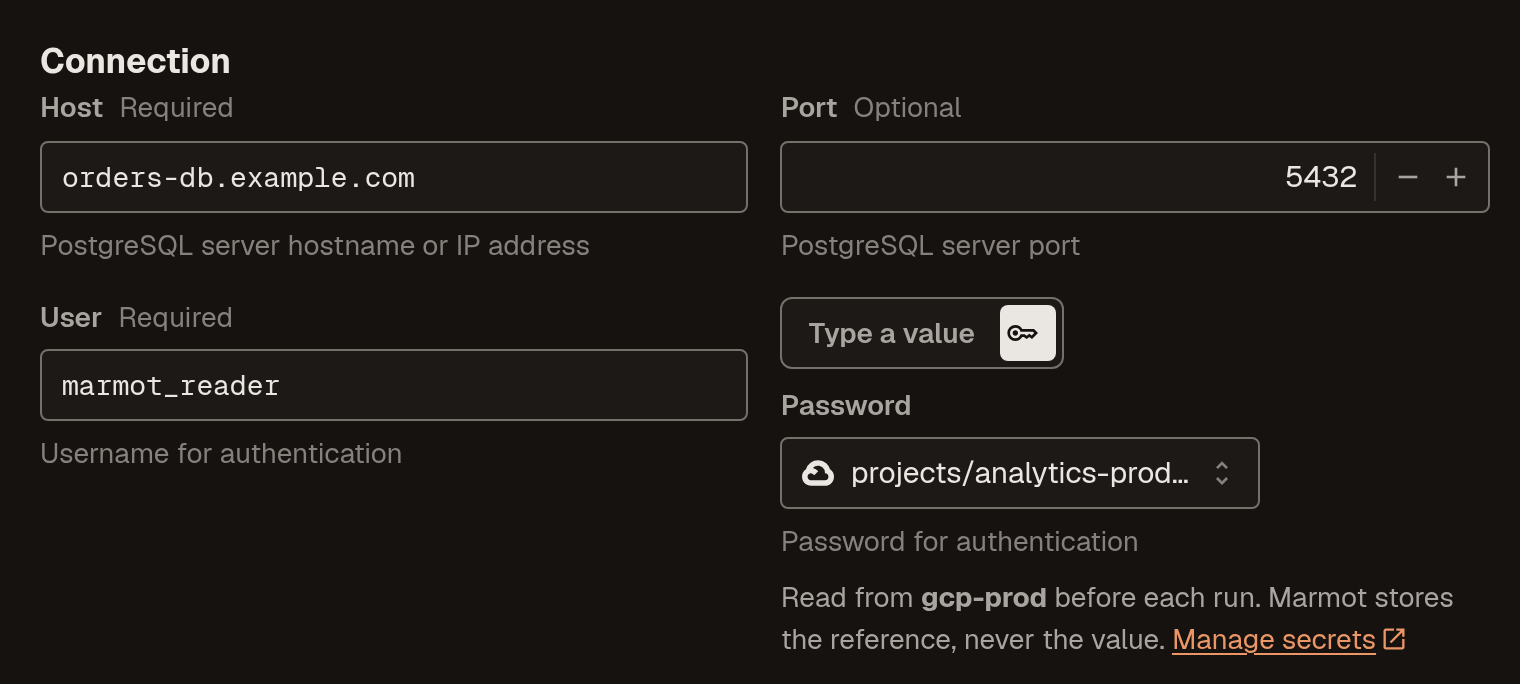 resource "marmot_pipeline" "orders" {name = "orders"plugin_id = "postgresql"cron_expression = "0 * * * *"config = jsonencode({host = "orders-db.example.com"user = "marmot_reader"})secrets = {password = marmot_secret_store_google_secret.orders_db_password.id}}
Troubleshooting
| What you see | What to do |
|---|---|
workload_identity_provider must name a provider as projects/<number>/... | Use the project number in the provider, not the project ID. |
| The token exchange is rejected | Check the provider's issuer is exactly the issuer URL above. |
| The exchange succeeds but the API call is denied | The binding names a different subject, usually after a rename. Grant pipeline:<pipeline-name> again. |
| Everything is denied right after you grant access | IAM changes take a few minutes to propagate. Wait and run the pipeline again. |
Next steps
- Grant and check access: decide who can see the new datasets.
- Secret stores: more about stores, Vault and rotation.
- Connect AWS or Connect Azure if you catalog more than one cloud.