Connect AWS
Catalog your Glue Data Catalog every 6 hours with a pipeline that assumes an IAM role as itself, so there's no access key to create, store or rotate.
Before you start
- You hold
ingestion.adminacross the whole catalog in your instance. - You have an AWS account where you can create IAM roles and identity providers.
How it works
Before each run, your instance gives the pipeline a 5-minute token with the subject pipeline:<pipeline-name>, and the pipeline assumes an IAM role with it. Each role's trust policy names one pipeline, so only that pipeline can assume it. Keyless pipelines explains the model.
Values you'll need
The steps use these values. Replace <instance> and <account-id> with your own:
- Provider URL:
https://<instance>.marmotdata.cloud. Always themarmotdata.cloudaddress, even with a custom domain - Audience:
sts.amazonaws.com - Condition keys:
<instance>.marmotdata.cloud:suband:aud, with the bare host, not the URL - Pipeline subject:
pipeline:lake, matched exactly. A wildcard would let every future pipeline assume the role - Role:
arn:aws:iam::<account-id>:role/marmot-lake
Your first pipeline
Trust your instance
Create one IAM OIDC identity provider for your instance in each account.
- Console
- AWS CLI
- Terraform
- In the IAM console, open Identity providers and choose Add provider.
- Choose OpenID Connect, enter the provider URL and the audience, then choose Add provider.
aws iam create-open-id-connect-provider \--url https://<instance>.marmotdata.cloud \--client-id-list sts.amazonaws.comprovider "marmot" {host = "https://<instance>.marmotdata.cloud"}provider "aws" {region = "eu-west-1"}resource "aws_iam_openid_connect_provider" "marmot" {url = "https://<instance>.marmotdata.cloud"client_id_list = ["sts.amazonaws.com"]}Create a role for the pipeline
Create a role called
marmot-lakethat only thelakepipeline can assume, with read-only Glue access.- Console
- AWS CLI
- Terraform
- In the IAM console, open Roles and choose Create role.
- Choose Web identity, then your instance's provider and the audience, and choose Next.
- Choose Next again, enter
marmot-lakeas the Role name and choose Create role. - On the role's Trust relationships tab, choose Edit trust policy and add
"<instance>.marmotdata.cloud:sub": "pipeline:lake"to theStringEqualscondition. - On the Permissions tab, add an inline policy allowing
glue:GetDatabases,glue:GetTables,glue:GetJobsandglue:GetCrawlerson*.
Save the trust policy as
trust.json, with your provider's ARN,arn:aws:iam::<account-id>:oidc-provider/<instance>.marmotdata.cloud, in place of<provider-arn>:{"Version": "2012-10-17","Statement": [{"Effect": "Allow","Principal": { "Federated": "<provider-arn>" },"Action": "sts:AssumeRoleWithWebIdentity","Condition": {"StringEquals": {"<instance>.marmotdata.cloud:aud": "sts.amazonaws.com","<instance>.marmotdata.cloud:sub": "pipeline:lake"}}}]}Save the permissions as
glue-read.json:{"Version": "2012-10-17","Statement": [{"Effect": "Allow","Action": ["glue:GetDatabases","glue:GetTables","glue:GetJobs","glue:GetCrawlers"],"Resource": "*"}]}Create the role and attach the permissions:
aws iam create-role \--role-name marmot-lake \--assume-role-policy-document file://trust.jsonaws iam put-role-policy \--role-name marmot-lake \--policy-name glue-read \--policy-document file://glue-read.jsonThe name lives in a local because the trust policy needs it before the pipeline exists.
locals {marmot_host = "<instance>.marmotdata.cloud"lake_pipeline_name = "lake"}data "aws_iam_policy_document" "marmot_lake_trust" {statement {actions = ["sts:AssumeRoleWithWebIdentity"]principals {type = "Federated"identifiers = [aws_iam_openid_connect_provider.marmot.arn]}condition {test = "StringEquals"variable = "${local.marmot_host}:sub"values = ["pipeline:${local.lake_pipeline_name}"]}condition {test = "StringEquals"variable = "${local.marmot_host}:aud"values = ["sts.amazonaws.com"]}}}resource "aws_iam_role" "marmot_lake" {name = "marmot-lake"assume_role_policy = data.aws_iam_policy_document.marmot_lake_trust.json}resource "aws_iam_role_policy" "marmot_lake_read" {name = "glue-read"role = aws_iam_role.marmot_lake.namepolicy = jsonencode({Version = "2012-10-17"Statement = [{Effect = "Allow"Action = ["glue:GetDatabases","glue:GetTables","glue:GetJobs","glue:GetCrawlers",]Resource = "*"}]})}Create the pipeline
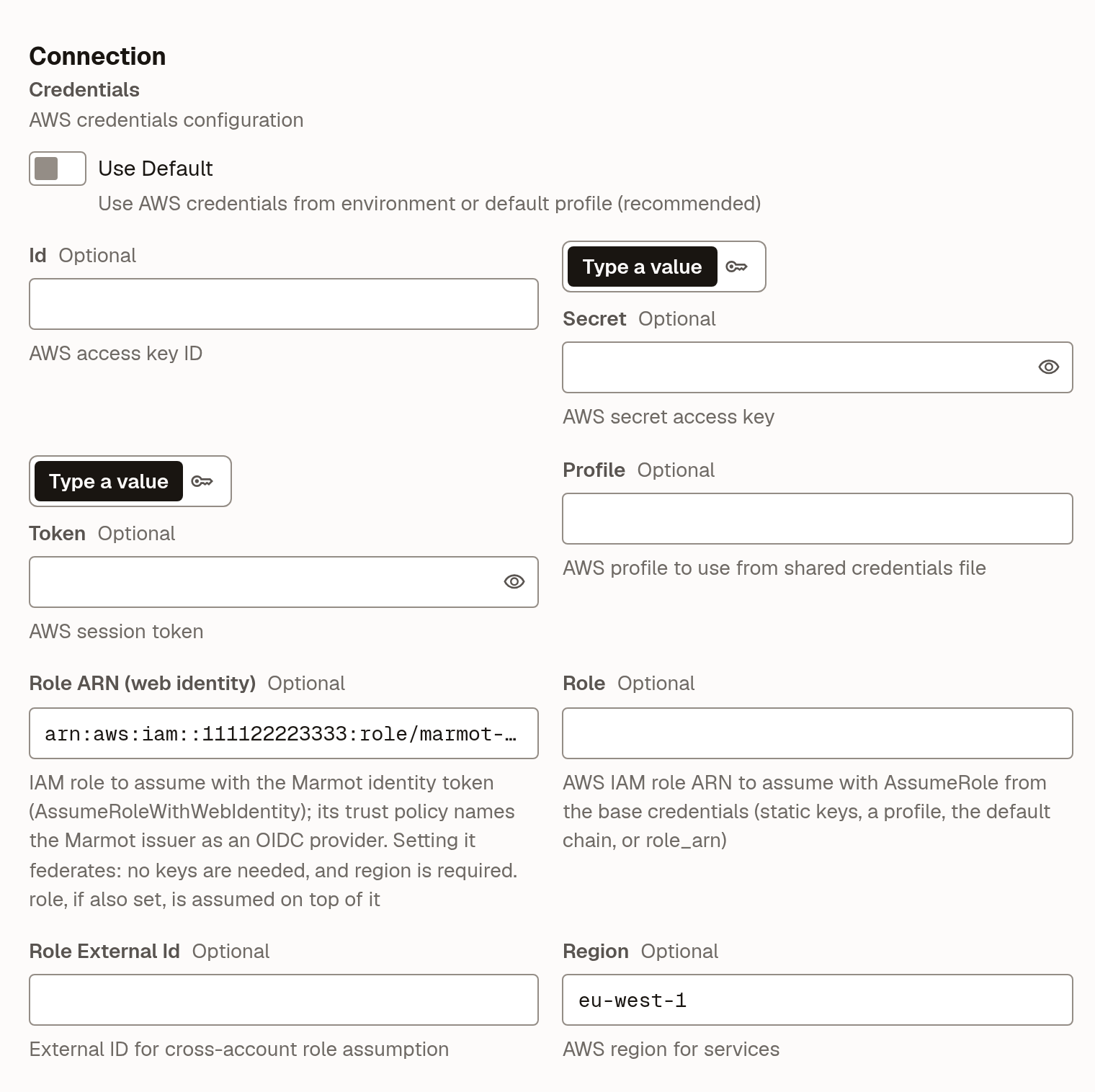
Point the Glue plugin at the role. The role ARN is what tells the plugin to sign in as the pipeline rather than look for a key, and it needs a region.
- UI
- Terraform
- Open Plugins and select AWS Glue under Add a source.
- Enter
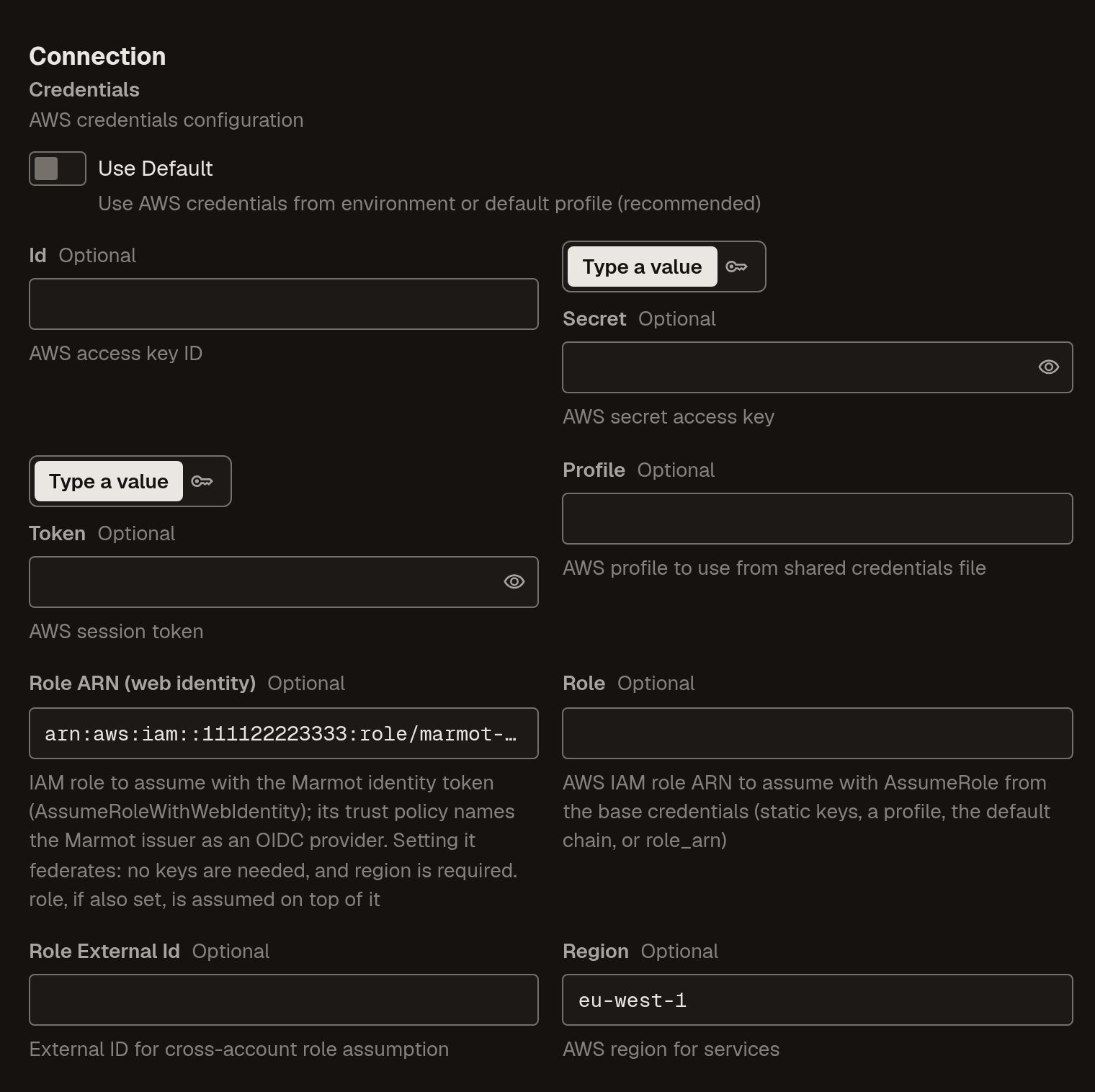
lakeas the Pipeline name and select Continue. - Under Credentials, turn off Use Default, set Role ARN (web identity) to the role and Region to
eu-west-1, then select Check and continue. - Turn on Run on a schedule, set it to
0 */6 * * *and select Create pipeline.
 resource "marmot_pipeline" "lake" {name = local.lake_pipeline_nameplugin_id = "glue"cron_expression = "0 */6 * * *"config = jsonencode({credentials = {region = "eu-west-1"role_arn = aws_iam_role.marmot_lake.arn}})}
Check that it worked
The pipeline runs at its next scheduled time. To run it now, open it under Plugins and select Run now. When the run succeeds, your Glue databases and tables appear in Discover.
From the CLI, marmot runs list --pipelines lake lists its runs.
CloudTrail records each AssumeRoleWithWebIdentity call with the session name marmot and the pipeline's subject.
Other AWS sources
Every other AWS plugin works the same way: a role per pipeline with read-only permissions for that service. S3 needs at least s3:ListAllMyBuckets and s3:GetBucketLocation. Each plugin's page in the plugin directory lists its configuration.
When a source needs a password
An RDS or self-managed Postgres can't federate, so its pipeline needs a real password. Keep it in Secrets Manager and let Marmot read it at run time through a secret store. The store assumes a role of its own, as the subject secretStore:<store-name>, through the same identity provider.
Create a role for the store
The store will be called
aws-prod, so its role trusts the subjectsecretStore:aws-prodand allowssecretsmanager:GetSecretValueon the one secret.- Console
- AWS CLI
- Terraform
- Create a role called
marmot-secret-storeas in the first pipeline, with Web identity, your instance's provider and the audience. - On the Trust relationships tab, choose Edit trust policy and add
"<instance>.marmotdata.cloud:sub": "secretStore:aws-prod"to theStringEqualscondition. - On the Permissions tab, add an inline policy that allows
secretsmanager:GetSecretValueon the secret's ARN.
Save a trust policy as
store-trust.json, the same as the first pipeline'strust.jsonbut with the subjectsecretStore:aws-prod. Save the permissions asread-orders-password.json:{"Version": "2012-10-17","Statement": [{"Effect": "Allow","Action": "secretsmanager:GetSecretValue","Resource": "<secret-arn>"}]}aws iam create-role \--role-name marmot-secret-store \--assume-role-policy-document file://store-trust.jsonaws iam put-role-policy \--role-name marmot-secret-store \--policy-name read-orders-password \--policy-document file://read-orders-password.jsonlocals {secret_store_name = "aws-prod"}data "aws_iam_policy_document" "marmot_store_trust" {statement {actions = ["sts:AssumeRoleWithWebIdentity"]principals {type = "Federated"identifiers = [aws_iam_openid_connect_provider.marmot.arn]}condition {test = "StringEquals"variable = "${local.marmot_host}:sub"values = ["secretStore:${local.secret_store_name}"]}condition {test = "StringEquals"variable = "${local.marmot_host}:aud"values = ["sts.amazonaws.com"]}}}resource "aws_iam_role" "marmot_store" {name = "marmot-secret-store"assume_role_policy = data.aws_iam_policy_document.marmot_store_trust.json}resource "aws_secretsmanager_secret" "orders_db_password" {name = "prod/orders/db-password"}resource "aws_iam_role_policy" "marmot_reads_orders_password" {name = "read-orders-password"role = aws_iam_role.marmot_store.namepolicy = jsonencode({Version = "2012-10-17"Statement = [{Effect = "Allow"Action = "secretsmanager:GetSecretValue"Resource = aws_secretsmanager_secret.orders_db_password.arn}]})}Create the store and register the secret
Create a store named
aws-prodthat assumes the role, then register the secret in it. A full ARN carries the region; a secret given by name also needs a Region.- UI
- Terraform
- Open Settings → Secret stores and select New secret store.
- Enter
aws-prodas the Name. - Under Where do the secrets live?, choose AWS Secrets Manager.
- Set Role ARN to
arn:aws:iam::<account-id>:role/marmot-secret-storeand select Create secret store. - On the store's page, select Register secret, enter the secret's ARN as the Secret ID, then select Register secret.
resource "marmot_secret_store_aws" "prod" {name = local.secret_store_namerole_arn = aws_iam_role.marmot_store.arn}resource "marmot_secret_store_aws_secret" "orders_db_password" {store = marmot_secret_store_aws.prod.idsecret_id = aws_secretsmanager_secret.orders_db_password.arn}Use the secret in a pipeline
Create the PostgreSQL pipeline with its password read from the store. The store reads the
AWSCURRENTstage unless you pin another, so rotating in Secrets Manager is the whole rotation.- UI
- Terraform
- Open Plugins and select PostgreSQL under Add a source.
- Enter
ordersas the Pipeline name and select Continue. - Fill in Host and User. For Password, choose From secret store and pick the secret.
- Select Check and continue, set a schedule and select Create pipeline.
resource "marmot_pipeline" "orders" {name = "orders"plugin_id = "postgresql"cron_expression = "0 * * * *"config = jsonencode({host = "orders-db.example.com"user = "marmot_reader"})secrets = {password = marmot_secret_store_aws_secret.orders_db_password.id}}
Troubleshooting
| What you see | What to do |
|---|---|
region is required with role_arn; ... | Set Region next to the role ARN. |
AccessDenied from AssumeRoleWithWebIdentity | The trust policy didn't match. Check the condition keys use the bare host and the subject names the pipeline's current name. |
InvalidIdentityToken | The identity provider's URL doesn't exactly match the provider URL above. |
| The role is assumed but an API call is denied | Add the missing action to the role's permissions policy. |
Next steps
- Grant and check access: decide who can see the new tables.
- Secret stores: more about stores, Vault and rotation.
- Connect Google Cloud or Connect Azure if you catalog more than one cloud.