Metrics
Overview
Marmot collects various application metrics for both Prometheus monitoring and built-in dashboards in the UI.
In the UI
Metrics in the header shows the state of the catalog itself: how many assets there are, how many carry a schema, which providers and owners account for most of them, and what people are actually looking at. The time range in the corner applies to everything on the page.
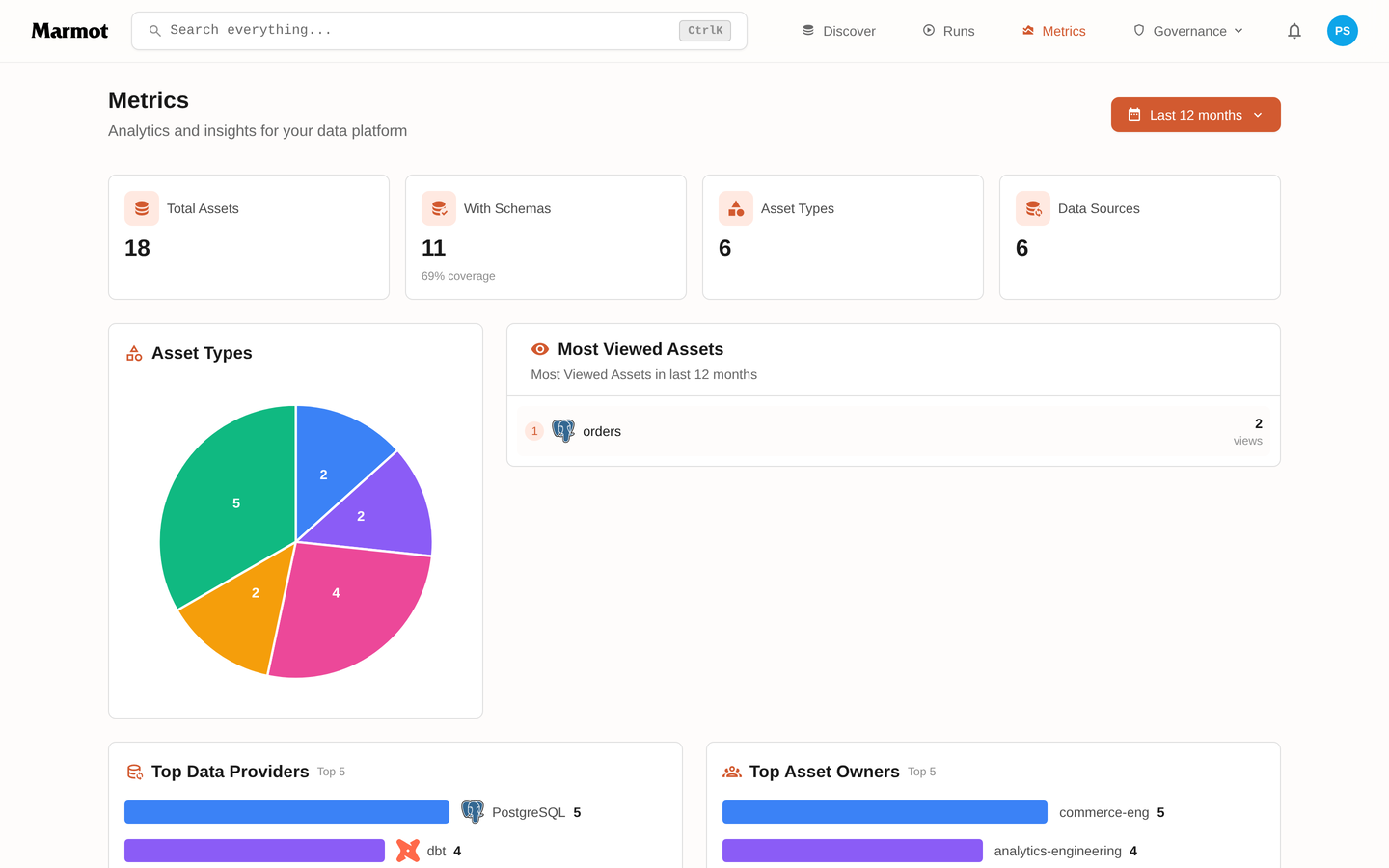
Schema coverage is the number worth watching. An asset with no schema is a name in a list; the gap between the two counts is how much of the catalog is still only a name. Seeing metrics:view requires the permission of the same name. See users, roles and access.
Prometheus/OpenMetrics Endpoints
You can enable metrics in the configuration to expose a Prometheus/OpenMetrics endpoint on /metrics. This endpoint does not have auth enabled, you should configure Prometheus to scrape the endpoints for each Marmot instance you have deployed.
values.yaml:
metrics:
  enabled: true
  port: 9090
Environment variables:
MARMOT_METRICS_ENABLED=true
MARMOT_METRICS_PORT=9090
Helm Chart
The Helm chart creates a ServiceMonitor for Prometheus Operator:
helm install marmot ./chart --set config.metrics.enabled=true --set monitoring.serviceMonitor.enabled=true
config:
  metrics:
    enabled: true
    port: 9090

monitoring:
  serviceMonitor:
    enabled: true
    interval: 30s
Endpoints
/metrics- Prometheus endpoint (no auth)/api/v1/metrics- UI dashboard API (requires auth)