Upgrade to 0.13
Marmot 0.13 moves your catalog to qualified MRNs without manual steps. Assets keep their id and everything people added to them, and their old MRNs keep working. The one thing to look out for is tables that shared a single asset before, which you merge once the pipelines have run.
Marmot Cloud instances are upgraded for you. Only Merge tables that collided before applies to them.
Before you start
- On a self-hosted install, you have a backup of the Marmot database from before the upgrade.
- Any plugin you install yourself is upgraded no earlier than Marmot, because plugins built for qualified MRNs need Marmot 0.13.0 or later. Marmot downloads the matching core plugins itself; see Plugin updates.
Rolling back needs the backup
The upgrade rewrites every MRN stored in the database. An older Marmot release doesn't understand the rewritten MRNs, so going back means restoring the backup taken before the upgrade.
Move the catalog to qualified MRNs
Upgrade Marmot
Upgrade Marmot to 0.13.0 or later. When it starts, one database migration rewrites every stored MRN to the kinded form, so
mrn://table/postgresql/ordersbecomesmrn://asset/table/postgresql/orders.The rewrite is one-to-one, so no two assets merge. It also rebuilds search links and records which pipeline described each asset, so later runs only withdraw their own descriptions.
Run each pipeline
On its next run, each plugin produces qualified MRNs, such as
mrn://asset/table/postgresql/analytics.public.orders:- UI
- CLI
On Plugins, select Run now on each pipeline, or wait for its schedule.
marmot ingest -c marketplace-postgres.yamlMarmot finds the existing asset under the MRN the plugin used to give it and moves it to the qualified one. It keeps its id, owners, glossary terms, documentation, data products, subscriptions and lineage, and nothing is created twice or deleted as stale. Old MRNs stay aliases, so links, API calls, lineage edges, OpenLineage events and Terraform resources that use them still reach the asset.
Optional: Move your own plugins to qualified names
Plugins you built on an older SDK keep working, because Marmot reads the MRNs they send in either form. Move them to qualified names when you next update them, as Build a plugin shows.
Merge tables that collided before
Before qualified MRNs, two tables with the same name in different schemas or databases had the same MRN, so they shared one asset. After the upgrade the plugin produces a separate MRN for each, and both could be the old asset.
Marmot gives the old asset to the new one whose metadata matches it best. When none stands out, it leaves the old asset as it is, creates both as new assets and the run reports a warning:
mrn://asset/table/postgresql/orders could be any of mrn://asset/table/postgresql/shop.public.orders, mrn://asset/table/postgresql/shop.archive.orders; it was left as it is and they were created as new assets. Merge it into the right one to keep what was added to it
To keep the owners, terms and documentation people added, merge the old asset into the one they belong to. What two tables wrote into one shared asset before the upgrade can't be split automatically, so check the merged asset's documentation and owners still fit.
Check that it worked
Open an asset that was in the catalog before the upgrade. On its Metadata tab, the Identity section shows the qualified MRN, with the old one under Previous MRNs:
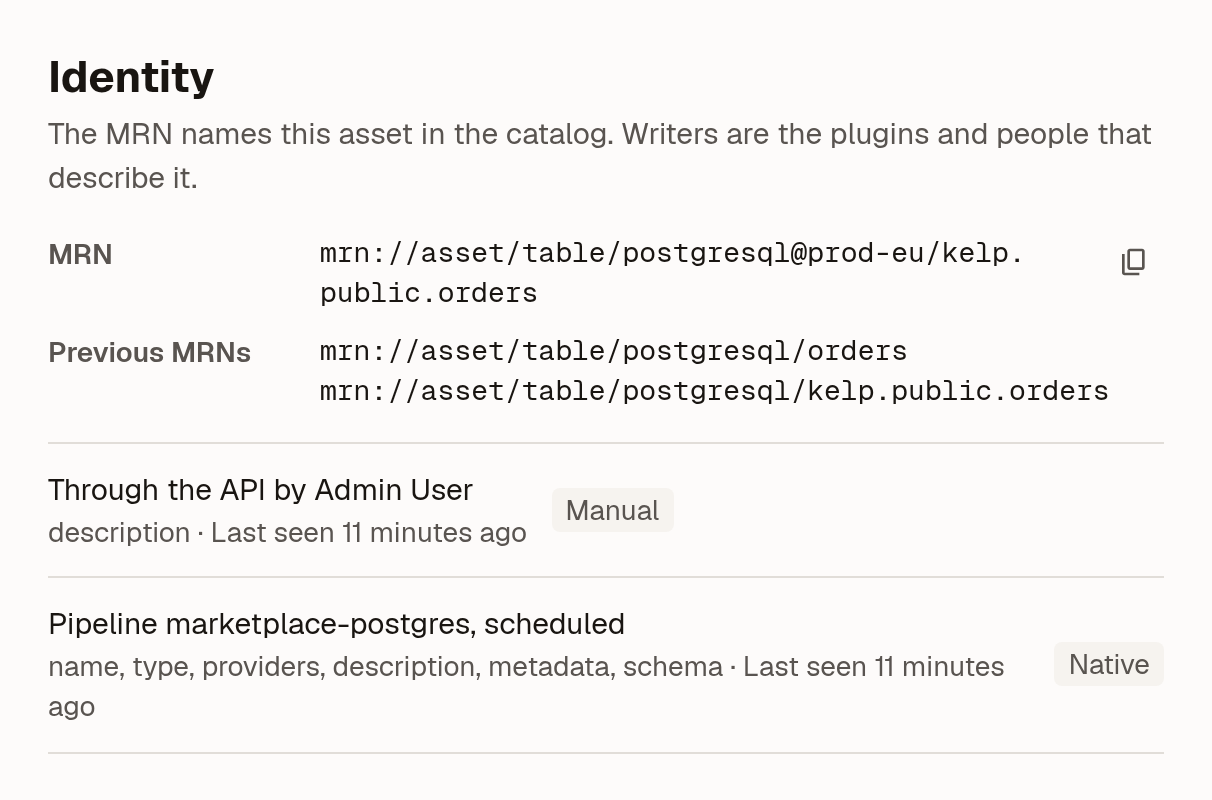
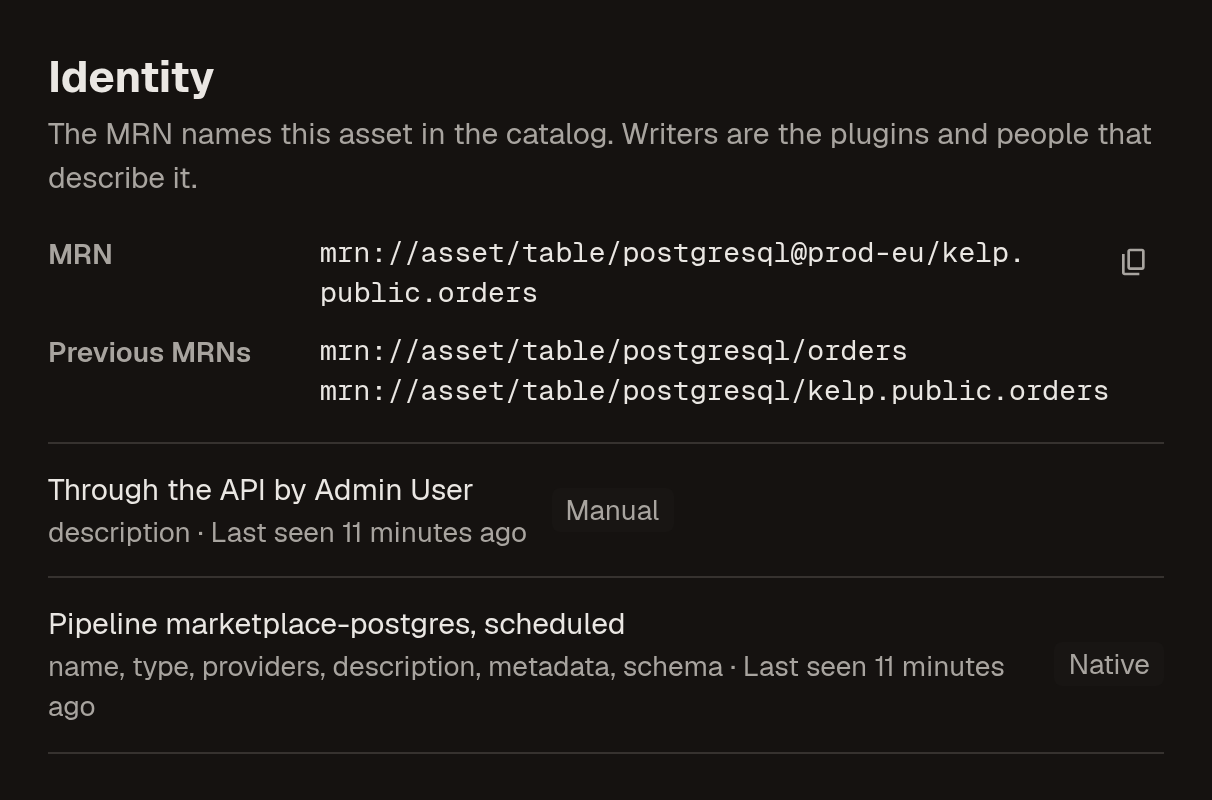
Then check the output of each pipeline's first run on the upgraded release. marmot ingest prints any warnings, and the batch API response lists them under warnings. A warning names an old asset to merge.
To confirm that an asset moved, look it up by its old MRN:
- CLI
- API
marmot mrn resolve mrn://table/postgresql/orders
A moved asset shows its qualified MRN and a Moved row.
curl -G https://marmot.example.com/api/v1/mrn/resolve \
  -H "X-API-Key: <api-key>" \
  --data-urlencode "mrn=mrn://table/postgresql/orders"
A moved asset returns its qualified mrn and "moved": true.
Troubleshooting
| What you see | What to do |
|---|---|
A run warns <old-mrn> could be any of <new-mrns> | Merge the old asset into the right one |
A run fails assets with another asset in this run, "<name>", has the same MRN <mrn>; the plugin has to tell them apart, for example by schema or database | The plugin produces one MRN for two objects. For your own plugin, add the missing levels to the qualified name. For a core plugin, report it on GitHub |
| An asset appears twice: once with people's edits and once with the plugin's latest metadata | The plugin's previous MRN didn't match the old asset. Merge the old asset into the new one |
| Two servers' tables still share one asset | Give each pipeline its own zone, run both, then merge if a run warns |
Next steps
- Tell systems apart with zones: keep two systems of the same technology apart.
- MRNs: how MRNs are built and how several writers share an asset.