Access control
Marmot Cloud puts an IAM layer over the catalog. Every asset, data product, glossary term and secret store is a resource with its own policy, and every principal, whether a person, a team or an AI agent, reaches exactly what its bindings say. The model is the one Google Cloud IAM uses: a role is a bundle of permissions, a binding gives one member one role on one resource, and a policy is the set of bindings on a resource.
Behind it is a policy API. Each policy carries an etag, so two writers cannot silently overwrite each other. The Terraform provider exposes the whole surface as resources, so access is reviewed in pull requests, drift is a non-empty plan, and the access panel on any resource shows what a principal can effectively do and why. On Enterprise, every agent query is attributable to its principal and exportable to your SIEM.
This is what makes it safe to give an AI agent a credential. The agent gets a service account, the account gets a binding on the three assets it should see, and it reaches nothing else. Open source Marmot grants roles across the whole instance; the policy API and per-resource grants are Marmot Cloud and Marmot Enterprise.
How grants work
Grants inherit downward. A binding on the organization covers everything. A binding on a data product covers the assets in it, including assets that match its rule later. A binding on a glossary term covers the terms nested under it.
Grants add up, and nothing subtracts. There are no deny rules, so you cannot remove at a lower level what something above has granted. Keep the organization-level bindings narrow, usually read-only, and grant everything else on the resource that needs it.
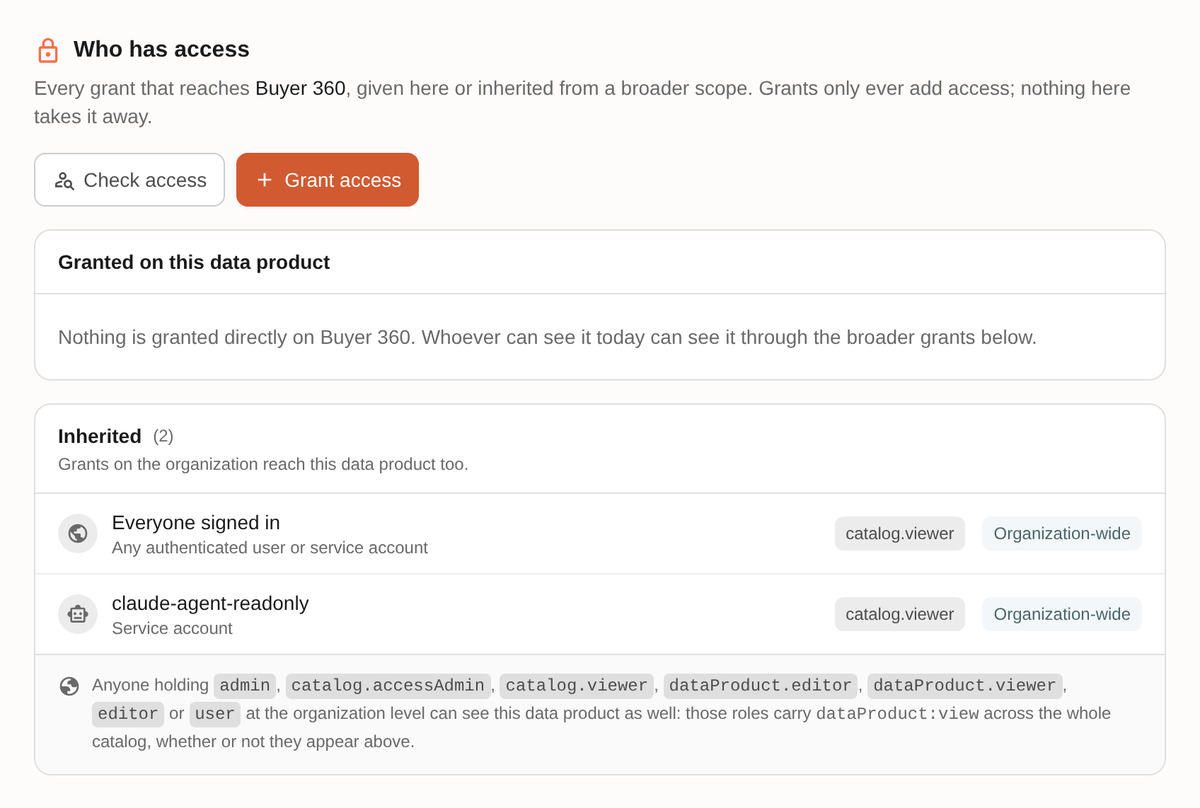
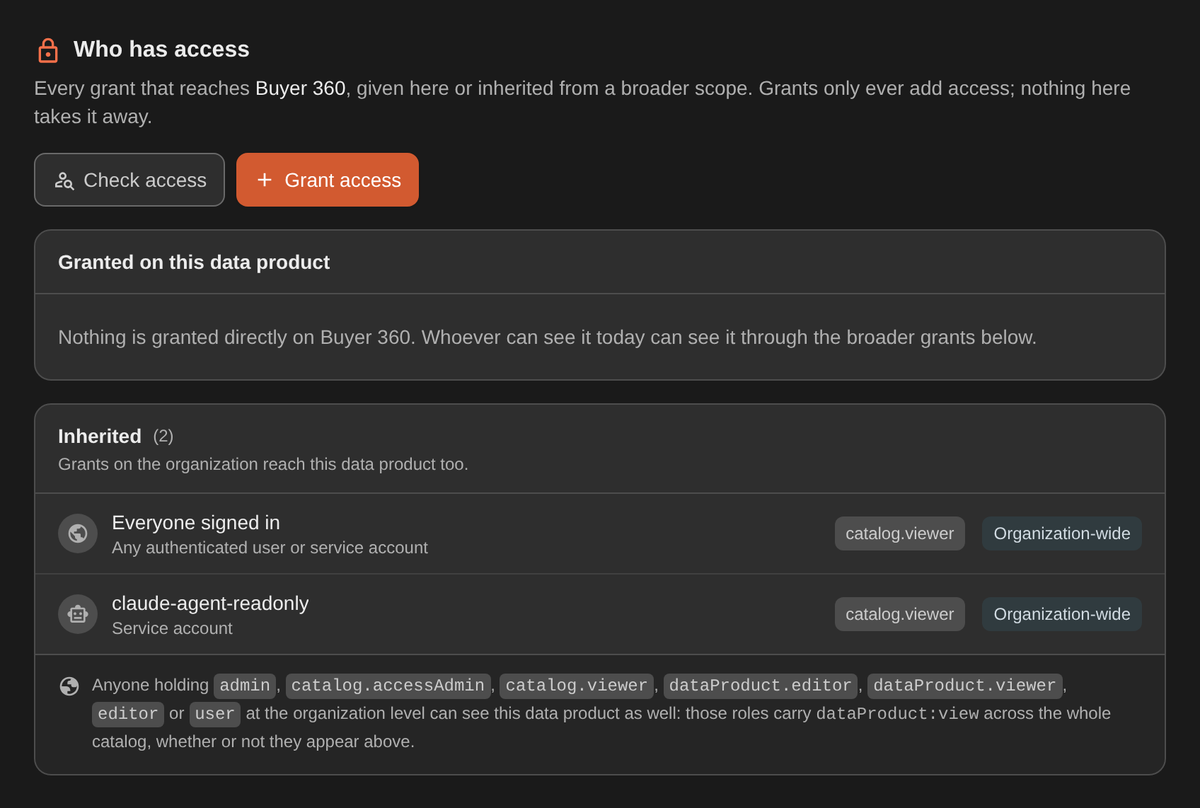
Every resource shows the sum on its Access tab: what was granted here, and what reaches it from above.
The resource hierarchy
The organization is the root. Data products contain assets, glossary terms nest under other glossary terms, and secret stores stand on their own.
| Resource | Terraform resources | A binding here covers |
|---|---|---|
organization | marmot_organization_iam_* | The whole instance, including resources created later. |
dataProduct | marmot_data_product_iam_* | The product and every asset in it, now and later. |
asset | marmot_asset_iam_* | One asset. The usual shape for an agent. |
glossaryTerm | marmot_glossary_term_iam_* | The term and every term nested under it. |
secretStore | marmot_secret_store_iam_* | One store and the secrets registered in it. |
An asset that belongs to several data products is reachable through any of them. Secret stores sit beside the catalog rather than inside it, so a team can attach a store's secrets to pipelines without any catalog grant letting it read the values.
Members
| Member | Who |
|---|---|
group:<team id> | A team. Everyone in it, now and later. |
serviceAccount:<id> | CI, an ingestion identity, an agent. |
user:<id> | One person. |
allAuthenticated | Everyone who can sign in. |
Bind to teams rather than people. A grant to a team keeps meaning the right thing as people join and leave.
People and teams come from your identity provider. With single sign-on and team sync on, users are created at first sign-in and teams mirror your directory groups, so neither needs a Terraform resource. Service accounts are the exception: every one of them belongs in Terraform.
Roles
The coarse roles from open source Marmot set a baseline at the organization. Everything else is granular and binds at a point in the hierarchy. Read and access-policy roles bind on individual resources. Editing roles bind at the organization only, because write permissions are checked instance-wide today.
| Role | Grants | Binds on |
|---|---|---|
admin | Full control of the instance. | organization |
editor | Create and edit catalog content. | organization |
user | Read the whole catalog. The default for a new user. | organization |
catalog.none | Nothing. Set as the default role to lock an instance down. | organization |
catalog.viewer | Read assets, data products and the glossary. | organization, dataProduct, asset, glossaryTerm |
catalog.accessAdmin | Read a resource and manage who else may. | organization, dataProduct, asset, glossaryTerm |
asset.viewer | View assets and their lineage neighbours. | organization, dataProduct, asset |
asset.dataViewer | View assets and read their sample rows. | organization, dataProduct, asset |
asset.editor, asset.admin | Edit assets; full control of assets. | organization |
dataProduct.viewer | View a product and its assets. | organization, dataProduct |
dataProduct.editor | Create and edit products and rules. | organization |
glossary.viewer | View terms. | organization, glossaryTerm |
glossary.editor | Create and edit terms. | organization |
secretStore.viewer | See a store and its secrets. No values. | organization, secretStore |
secretStore.user | Register secrets and attach them to pipelines. No values. | organization, secretStore |
secretStore.reader | Read secret values. | organization, secretStore |
secretStore.admin | Create, edit and delete stores. | organization |
ingestion.viewer | View pipelines and runs. | organization |
ingestion.admin | Create and edit pipelines. | organization |
ingestion.publisher | Write assets and emit run telemetry. For ingestion identities. | organization |
agent.emitter | Record agent run telemetry. | organization |
plugin.publisher | Push to the private plugin registry. | organization |
iam.viewer, iam.admin | Read, or grant and revoke, the policy on a resource. | organization, dataProduct, asset, glossaryTerm |
user.*, team.*, serviceAccount.* | View or manage users, teams, service accounts and keys. | organization |
metrics.viewer, sso.admin, role.admin | Metrics; SSO team mappings; roles and permissions. | organization |
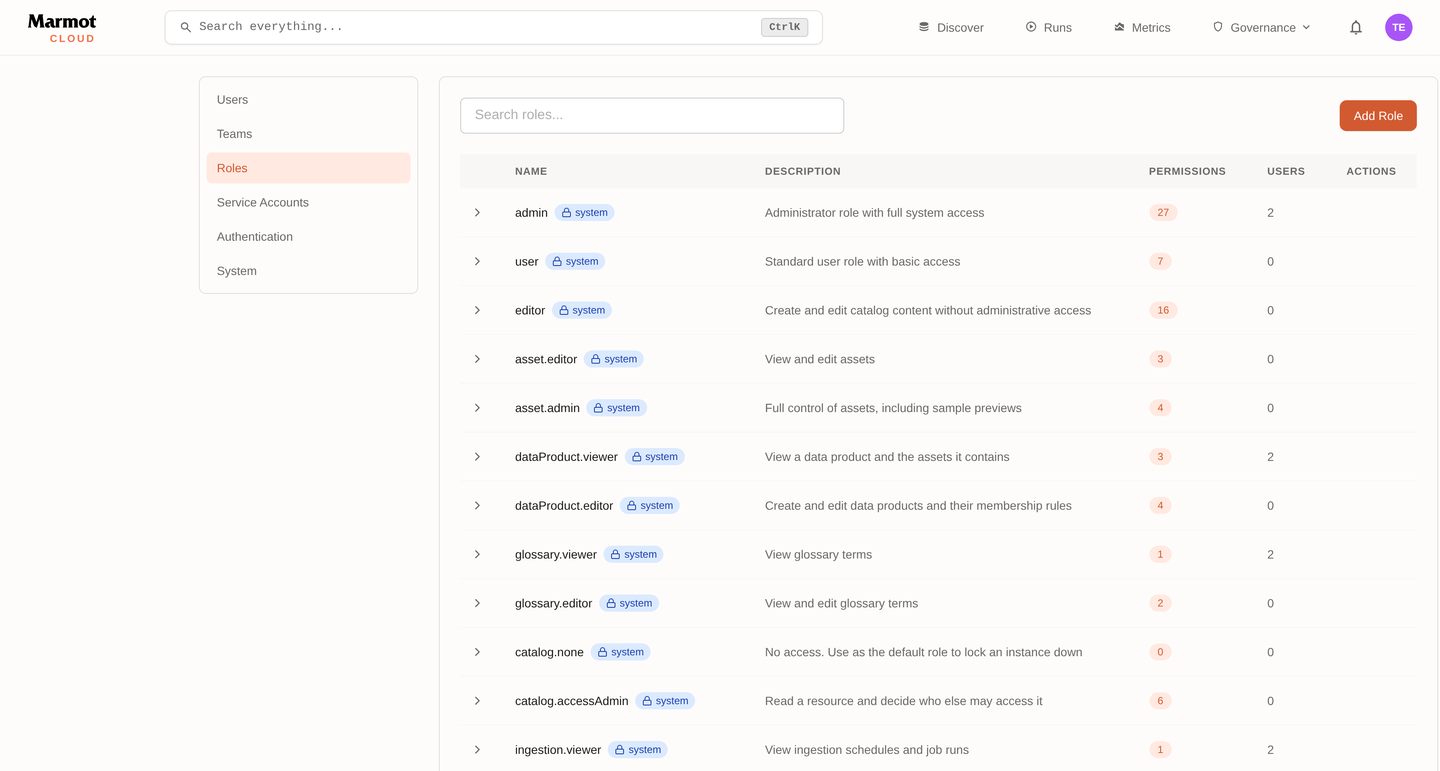
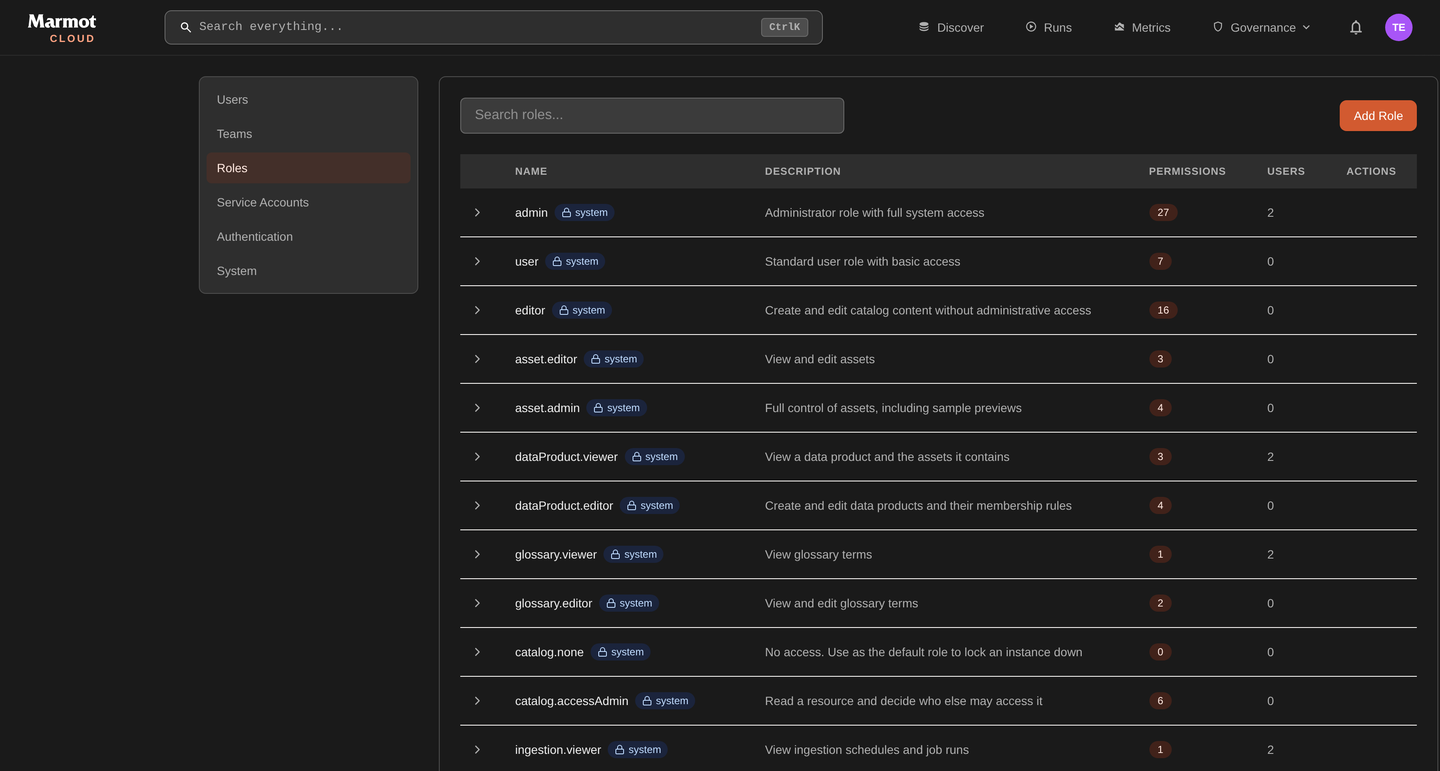
Two distinctions matter more than the rest. The asset viewer sees that a table exists and what its columns mean; the data viewer also reads sample rows, so grant the first broadly and the second narrowly. The secret store user can point a pipeline at a secret; the reader can see the value, and almost nobody who writes pipelines needs that.
Grant a role
A grant is one member, one role, one resource.
resource "marmot_data_product_iam_member" "finance_edits_reporting" {
  data_product_id = marmot_data_product.finance_reporting.id
  role            = "dataProduct.editor"
  member          = "group:${marmot_team.finance.id}"
}

resource "marmot_asset_iam_member" "copilot_reads_orders" {
  asset_id = marmot_asset.orders.id
  role     = "asset.viewer"
  member   = "serviceAccount:${marmot_service_account.copilot.id}"
}
A member grant adds to whatever is already on the resource and touches nothing else, so it is safe alongside grants made in the UI or by another configuration. When you need Terraform to own the full list of members for a role, or the whole policy on a resource, the provider also has binding and policy resources; the access control guide on the registry covers when to reach for each.
Recommended setup
Grant read access to everyone at the organization and everything else on specific resources. Nothing here grants an editing role at the root, so no team can edit outside what it was given.
resource "marmot_organization_iam_member" "everyone_reads" {
  role   = "catalog.viewer"
  member = "allAuthenticated"
}

resource "marmot_organization_iam_member" "platform_admin" {
  role   = "admin"
  member = "group:${marmot_team.platform.id}"
}

resource "marmot_data_product_iam_member" "finance_edits_reporting" {
  data_product_id = marmot_data_product.finance_reporting.id
  role            = "dataProduct.editor"
  member          = "group:${marmot_team.finance.id}"
}

resource "marmot_asset_iam_member" "copilot_reads_orders" {
  asset_id = marmot_asset.order_events.id
  role     = "asset.viewer"
  member   = "serviceAccount:${marmot_service_account.copilot.id}"
}
If the catalog holds something not everyone should read, replace the floor rather than subtracting from resources. Set the default role for new users to catalog.none under Admin, and grant every piece of reach deliberately. Do it early, before the instance has users to reconcile.
Service accounts
A service account is a principal with no person behind it. It authenticates to Marmot with an API key and holds its own grants.
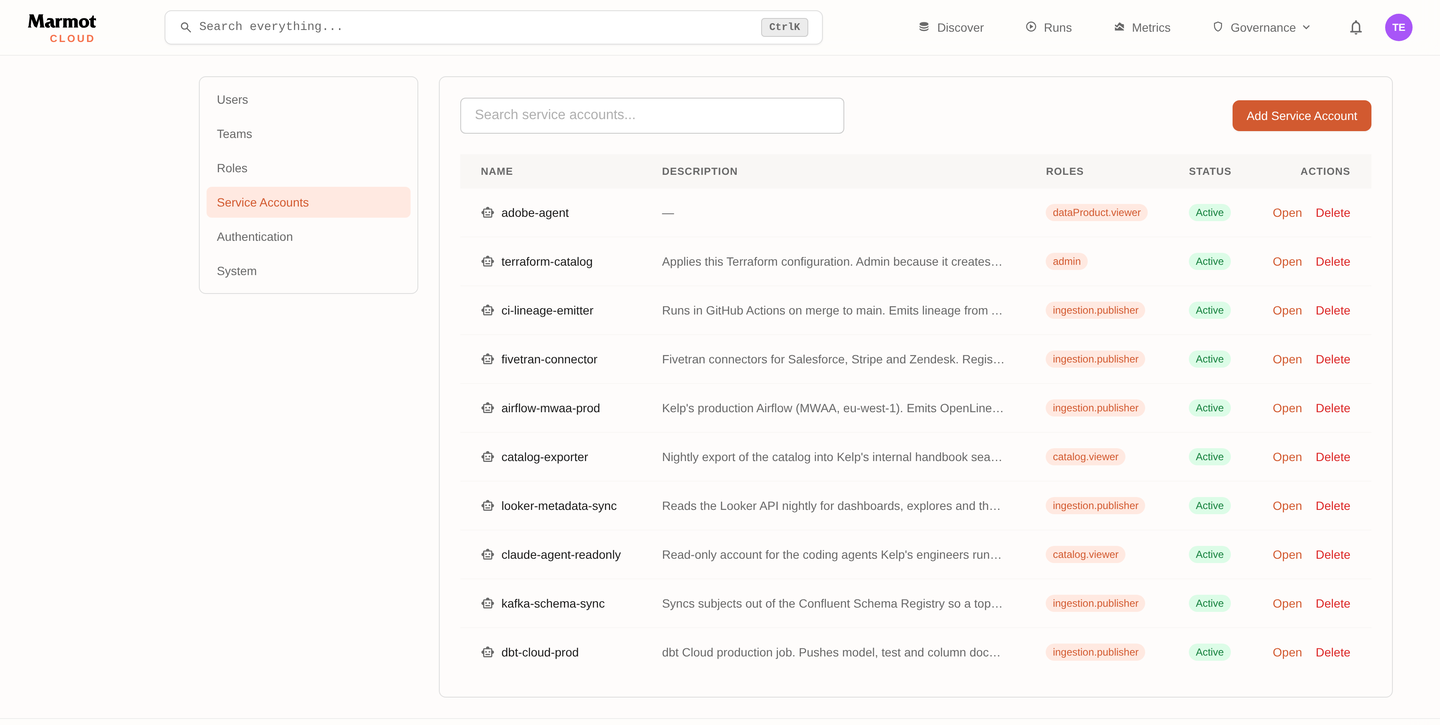
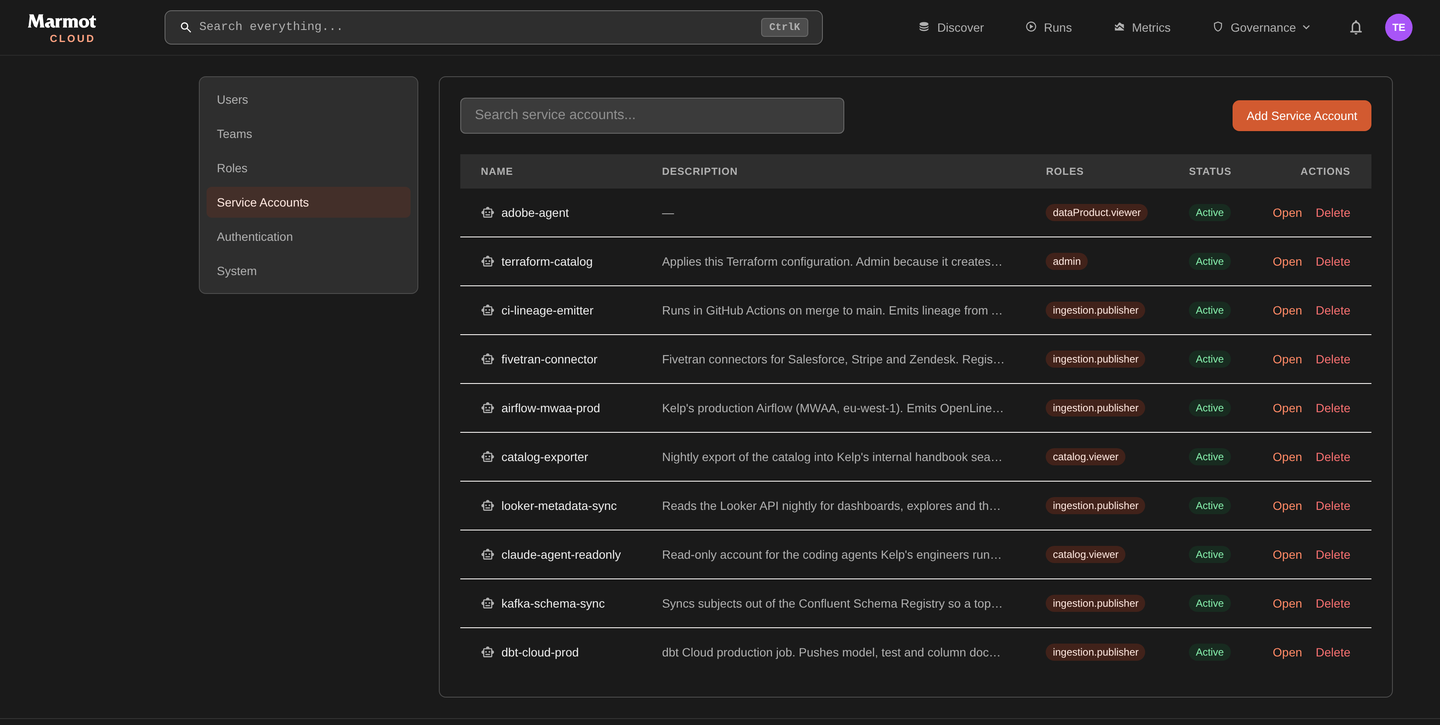
resource "marmot_service_account" "copilot" {
  name        = "catalog-copilot"
  description = "Answers questions in #data-help. Owned by the platform team."
}

resource "marmot_service_account_api_key" "copilot" {
  service_account_id = marmot_service_account.copilot.id
  name               = "production"
  expires_in_days    = 90
}
- One account per consumer. Two agents on one key cannot be told apart or revoked separately.
- Start from nothing. An account with no grants reaches nothing. Add grants until it works.
- Put the owner in the description. A year on, that is what unblocks a rotation.
- Expire keys. An account holds up to five, enough to overlap old and new during a rotation.
- Identities that write assets get
ingestion.publisherand nothing else.
Workload identity
A service account also has an identity of its own towards your cloud, in the same way a pipeline does. Its subject is serviceAccount:<name> and the issuer is your instance. The account can mint a short-lived token for an audience and exchange it at Google Cloud, AWS or Azure, so an agent can read a bucket as itself, and when it reads a secret through a secret store your vault sees which agent asked. The issuer and subject to trust are on the service account's page in your instance.
This works outbound only. Anything calling Marmot, such as Terraform in CI or an agent on the MCP endpoint, still authenticates with the account's API key.
Store the API key
The key resource returns the plaintext once and keeps it in state as a sensitive attribute. Write it to the consumer's secret store in the same apply, through a write-only argument so it never lands in that provider's state either. Never expose it through an output.
resource "google_secret_manager_secret_version" "copilot_marmot_key" {
  secret                 = google_secret_manager_secret.copilot_marmot_key.id
  secret_data_wo         = marmot_service_account_api_key.copilot.key
  secret_data_wo_version = 1
}
The AWS equivalent is a Secrets Manager secret version with its write-only string. For GitHub Actions, an actions secret.
A key needed only for one Terraform operation, such as configuring a second provider against your instance, should be the ephemeral resource. It is created when the operation starts, revoked when it ends, and never enters plan or state.
ephemeral "marmot_service_account_api_key" "migration" {
  service_account_id = marmot_service_account.migration.id
}

provider "marmot" {
  alias   = "as_migration"
  host    = "https://acme.marmotdata.cloud"
  api_key = ephemeral.marmot_service_account_api_key.migration.key
}
A durable key is in Terraform state. Keep state in a remote backend with encryption at rest and its own access control.
Run Terraform in CI
On your own machine the provider uses your CLI session. CI needs a service account, created from your session in the configuration that manages the rest of the platform.
resource "marmot_service_account" "terraform" {
  name        = "terraform"
  description = "Applies the catalog configuration from CI. Owned by the platform team."
}

resource "marmot_service_account_api_key" "terraform" {
  service_account_id = marmot_service_account.terraform.id
  name               = "ci"
  expires_in_days    = 90
}

resource "github_actions_secret" "marmot_api_key" {
  repository      = "catalog"
  secret_name     = "MARMOT_API_KEY"
  plaintext_value = marmot_service_account_api_key.terraform.key
}

resource "marmot_organization_iam_member" "terraform_ingestion" {
  role   = "ingestion.admin"
  member = "serviceAccount:${marmot_service_account.terraform.id}"
}

resource "marmot_secret_store_iam_member" "terraform_uses_prod" {
  secret_store_id = marmot_secret_store_google.prod.id
  role            = "secretStore.user"
  member          = "serviceAccount:${marmot_service_account.terraform.id}"
}
Grant what the repository manages and nothing more. Pipelines need ingestion admin and secret store user. Access policy needs IAM admin on the resources it binds. Catalog content needs editor.
With the host and API key in the CI environment as MARMOT_HOST and MARMOT_API_KEY, the provider block is empty:
provider "marmot" {}
If CI already reads from your secret manager, read the key through an ephemeral resource instead, so it never touches the runner's disk or state:
ephemeral "google_secret_manager_secret_version" "marmot_api_key" {
  secret  = "terraform-marmot-api-key"
  version = "latest"
}

provider "marmot" {
  host    = "https://acme.marmotdata.cloud"
  api_key = ephemeral.google_secret_manager_secret_version.marmot_api_key.secret_data
}
Give agents their own principal
An agent with its own service account can be scoped to the assets it should see, and revoked without locking a human out.
Connect an agentCheck who has access
Grants add up and inherit downward, so the question worth asking is not what you wrote in Terraform but what it adds up to for one principal.
On the resource
Every asset, data product and glossary term has an Access tab. It shows what is granted on the resource itself, what reaches it from a broader scope, and who that adds up to.
Check access answers the question directly: name a user, a team or a service account, and Marmot says whether they can see this resource and which grant is responsible.
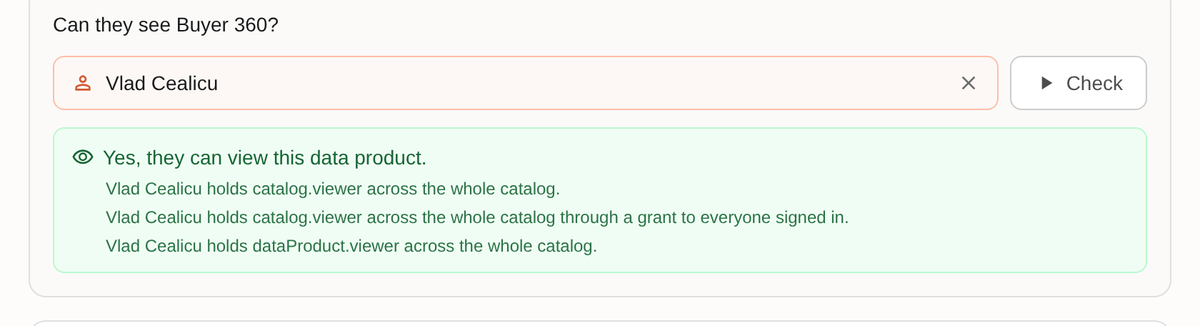
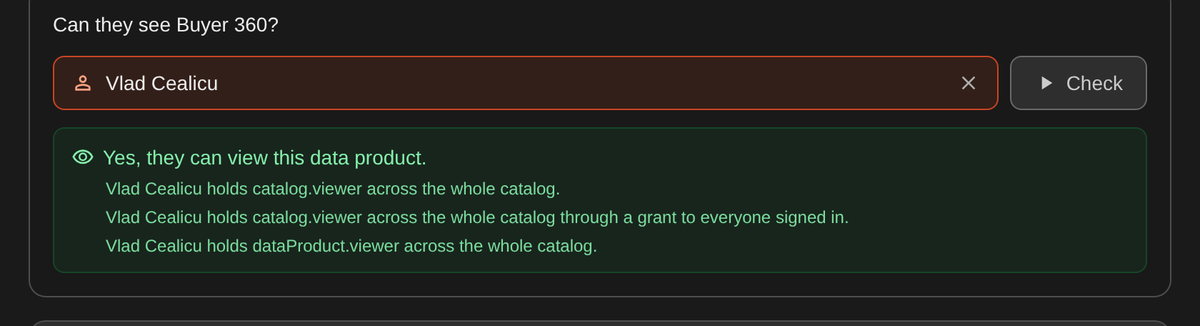
The last line is the useful part. "Through a grant to everyone signed in" usually means the floor is too high, not that this resource was granted too widely.
On the principal
A user, team or service account page carries an Effective access panel: everything that reaches that principal, whether directly, through a team, or through a grant to everyone signed in.
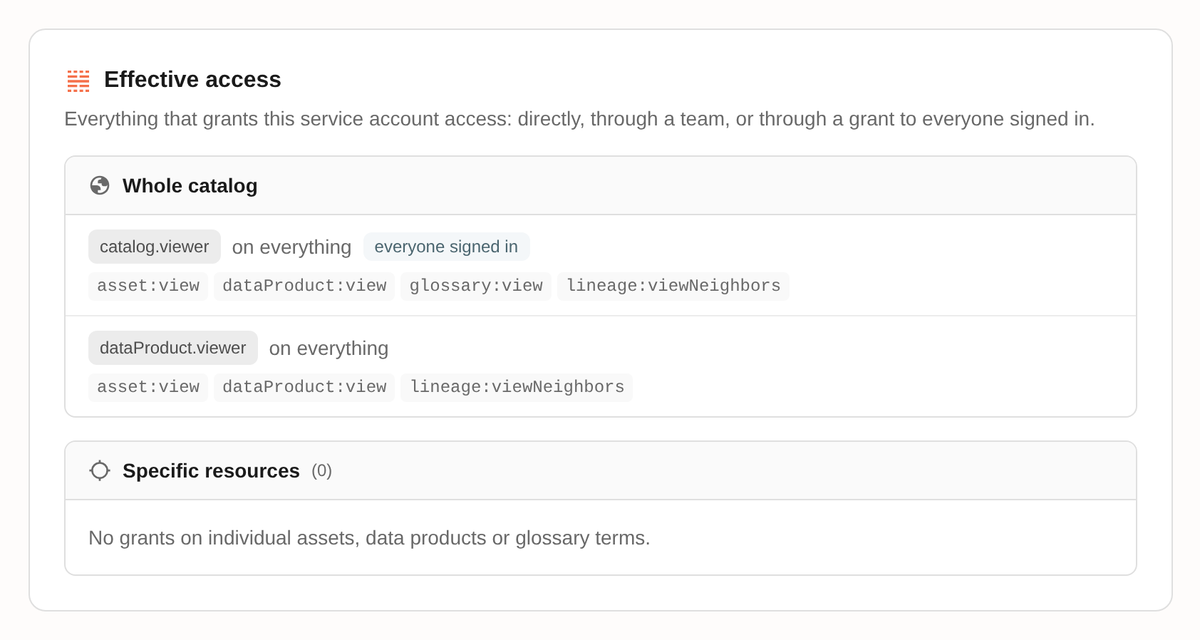
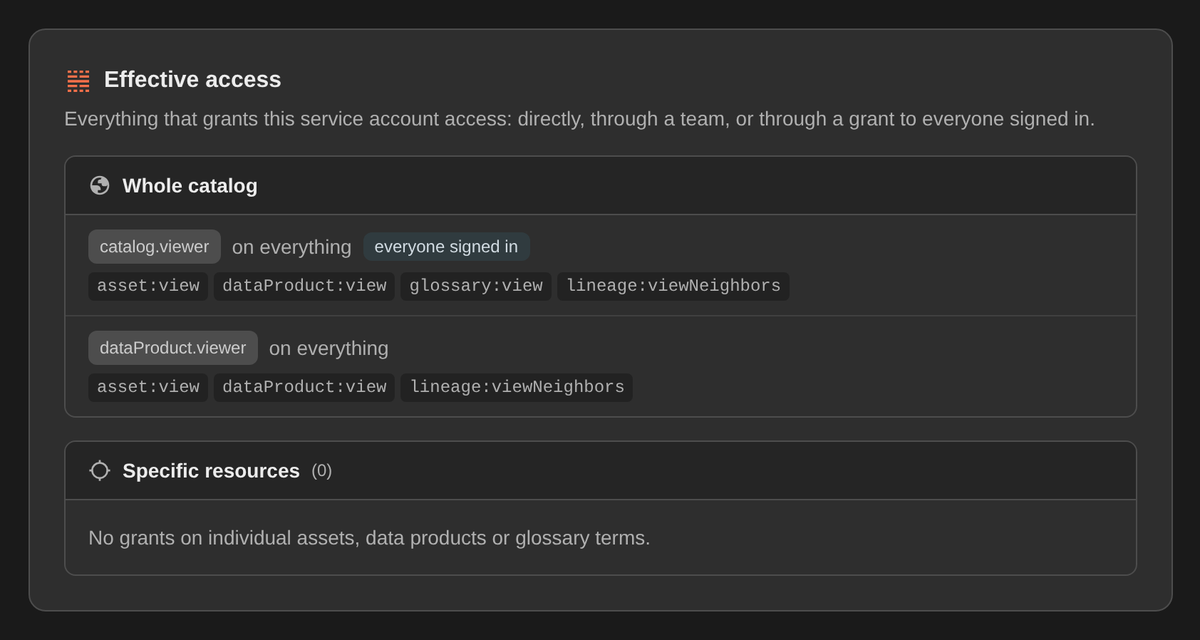
Open this before handing out a credential. It is also the panel to capture for an access review.
From Terraform
A plan against a policy resource is a drift report. An empty plan means nothing was granted outside your configuration since the last apply.
Policy writes carry an etag, so two terraform apply runs against the same resource cannot silently overwrite each other. The second is rejected and retries against the current policy.
From the API
The same two answers are API calls, which is what makes an access review scriptable. Reading another principal's access needs iam:view; testing your own needs nothing.
# Everything that grants a principal access, and why.
curl -s "$MARMOT_HOST/api/v1/iam/effective-access?member=serviceAccount:$ID" \
  -H "Authorization: Bearer $MARMOT_API_KEY"

# Which of these permissions does this member hold on this data product?
curl -s -X POST "$MARMOT_HOST/api/v1/iam/dataProduct/$PRODUCT_ID/test-permissions" \
  -H "Authorization: Bearer $MARMOT_API_KEY" \
  -H 'Content-Type: application/json' \
  -d '{"permissions":["dataProduct:view","asset:view"],"member":"user:'"$USER_ID"'"}'
test-permissions returns the subset of what you asked about that the member actually holds, so an empty list is a clean no. Leave member out and it tests the caller.
The resource types in these paths are root (the organization, with - as its id), asset, dataProduct, glossaryTerm and secretStore.
By holding the credential
The check that cannot be wrong: create the service account, take a key, and make the request you expect to be refused.