Marmot now supports keyless auth
· 10 min read · Bruno Schaatsbergen
Connecting something to BigQuery, Glue and Blob Storage unfortunately often happens through long-lived credentials. A service account key, an access key, a client secret. Each one is a secret that has to be created, stored and rotated, and that lives long enough to leak. Nobody wants to hold them.
Marmot Cloud and Marmot Enterprise implement OIDC to support keyless auth. When a pipeline launches, your instance signs a short-lived token for it, and your cloud trusts that token the way it trusts one from GitHub Actions. The pipeline becomes a principal on Google Cloud, assumes an IAM role on AWS, or signs in as an app registration on Azure. You assign the access by name, and no key is ever created.
How keyless auth works
Your instance is an OpenID Connect issuer, like GitHub Actions or a Kubernetes cluster. It publishes its signing key at a well-known address, as keyless pipelines explains in full, and each time a pipeline launches it signs a token that names the pipeline and expires in five minutes. Your cloud checks the signature and gives the pipeline the access you assigned to it. Marmot stores no credential.
| Platform | A pipeline becomes |
|---|---|
| Google Cloud | A principal: principal://iam.googleapis.com/<pool>/subject/pipeline:analytics |
| AWS | A role whose trust policy matches <instance>.marmotdata.cloud:sub to pipeline:lake |
| Azure | A federated credential with subject pipeline:blobs on an app registration or managed identity |
| HashiCorp Vault | A role with bound_subject set to secretStore:vault-prod, for secret stores |
Setting it up is two steps on your cloud and one in Marmot: trust your instance, give the pipeline something to become, create the pipeline. Pick your cloud in each step. The examples catalog BigQuery, the Glue Data Catalog and a Blob Storage account, with pipelines named analytics, lake and blobs. The guides for Google Cloud, AWS and Azure have the same steps in the console and in Terraform too.
Everywhere a step asks for the issuer, it is https://<instance>.marmotdata.cloud with no trailing slash, even if your instance has a custom domain.
Step 1: Trust your instance
- Google Cloud
- AWS
- Azure
Create a Workload Identity pool with one OIDC provider that names your instance as the issuer, and map google.subject to the token's subject. Once per project:
gcloud iam workload-identity-pools create marmot \
  --project=analytics-prod --location=global

gcloud iam workload-identity-pools providers create-oidc marmot \
  --project=analytics-prod --location=global \
  --workload-identity-pool=marmot \
  --issuer-uri="https://<instance>.marmotdata.cloud" \
  --attribute-mapping="google.subject=assertion.sub"
The later steps refer to the pool as $POOL. It uses the project number, not the project ID:
POOL=projects/<project-number>/locations/global/workloadIdentityPools/marmot
Create one IAM OIDC identity provider for your instance, with sts.amazonaws.com as the audience. Once per account:
aws iam create-open-id-connect-provider \
  --url https://<instance>.marmotdata.cloud \
  --client-id-list sts.amazonaws.com
Its ARN is arn:aws:iam::<account-id>:oidc-provider/<instance>.marmotdata.cloud. The next step needs it.
Azure has no shared trust. Each pipeline gets its own app registration, with no client secret and no certificate, and the trust is a federated credential on that registration. Create the registration and its service principal:
az ad app create --display-name marmot-blob-pipeline \
  --query appId --output tsv

az ad sp create --id <client-id>
The first command prints the client ID. A user-assigned managed identity works in place of the app registration, with az identity federated-credential create in the next step.
Step 2: Give the pipeline access
- Google Cloud
- AWS
- Azure
The pipeline will be called analytics, so in the pool it is the principal pipeline:analytics. Grant it BigQuery Metadata Viewer on the project. It reads dataset and table structure, no rows:
gcloud projects add-iam-policy-binding analytics-prod \
  --role=roles/bigquery.metadataViewer \
  --member="principal://iam.googleapis.com/$POOL/subject/pipeline:analytics"
There is no service account in this step and no key.
The pipeline will be called lake, so it gets a role that only pipeline:lake can assume. Save the trust policy as trust.json, with the provider ARN from step 1:
{
  "Version": "2012-10-17",
  "Statement": [
    {
      "Effect": "Allow",
      "Principal": { "Federated": "<provider-arn>" },
      "Action": "sts:AssumeRoleWithWebIdentity",
      "Condition": {
        "StringEquals": {
          "<instance>.marmotdata.cloud:aud": "sts.amazonaws.com",
          "<instance>.marmotdata.cloud:sub": "pipeline:lake"
        }
      }
    }
  ]
}
The condition keys use the bare hostname, and the subject is matched exactly. A wildcard would let every future pipeline assume the role. Save the read-only Glue permissions as glue-read.json:
{
  "Version": "2012-10-17",
  "Statement": [
    {
      "Effect": "Allow",
      "Action": [
        "glue:GetDatabases",
        "glue:GetTables",
        "glue:GetJobs",
        "glue:GetCrawlers"
      ],
      "Resource": "*"
    }
  ]
}
Create the role and attach the permissions:
aws iam create-role \
  --role-name marmot-lake \
  --assume-role-policy-document file://trust.json

aws iam put-role-policy \
  --role-name marmot-lake \
  --policy-name glue-read \
  --policy-document file://glue-read.json
The pipeline will be called blobs. Add a federated credential to the registration that names your instance as the issuer and pipeline:blobs as the subject:
az ad app federated-credential create --id <client-id> --parameters '{
  "name": "marmot-blobs",
  "issuer": "https://<instance>.marmotdata.cloud",
  "subject": "pipeline:blobs",
  "audiences": ["api://AzureADTokenExchange"]
}'
Then assign the registration Storage Blob Data Reader on the storage account:
SCOPE=$(az storage account show --name ordersarchive \
  --resource-group data-prod --query id --output tsv)

az role assignment create --assignee <client-id> \
  --role "Storage Blob Data Reader" --scope "$SCOPE"
Entra ID matches issuer, subject and audience exactly. It accepts a wrong subject when you save it and only fails at the first run.
Step 3: Create the pipeline
In your instance, open Plugins and pick the source under Add a source. The thing that makes the pipeline keyless is the same on every cloud: you name the identity it should become instead of giving it a key. Every other Google Cloud and AWS plugin works the same way, and the plugin directory lists each one's settings. On Azure, Blob Storage is the plugin that federates today.
- Google Cloud
- AWS
- Azure
- Select Google BigQuery, enter
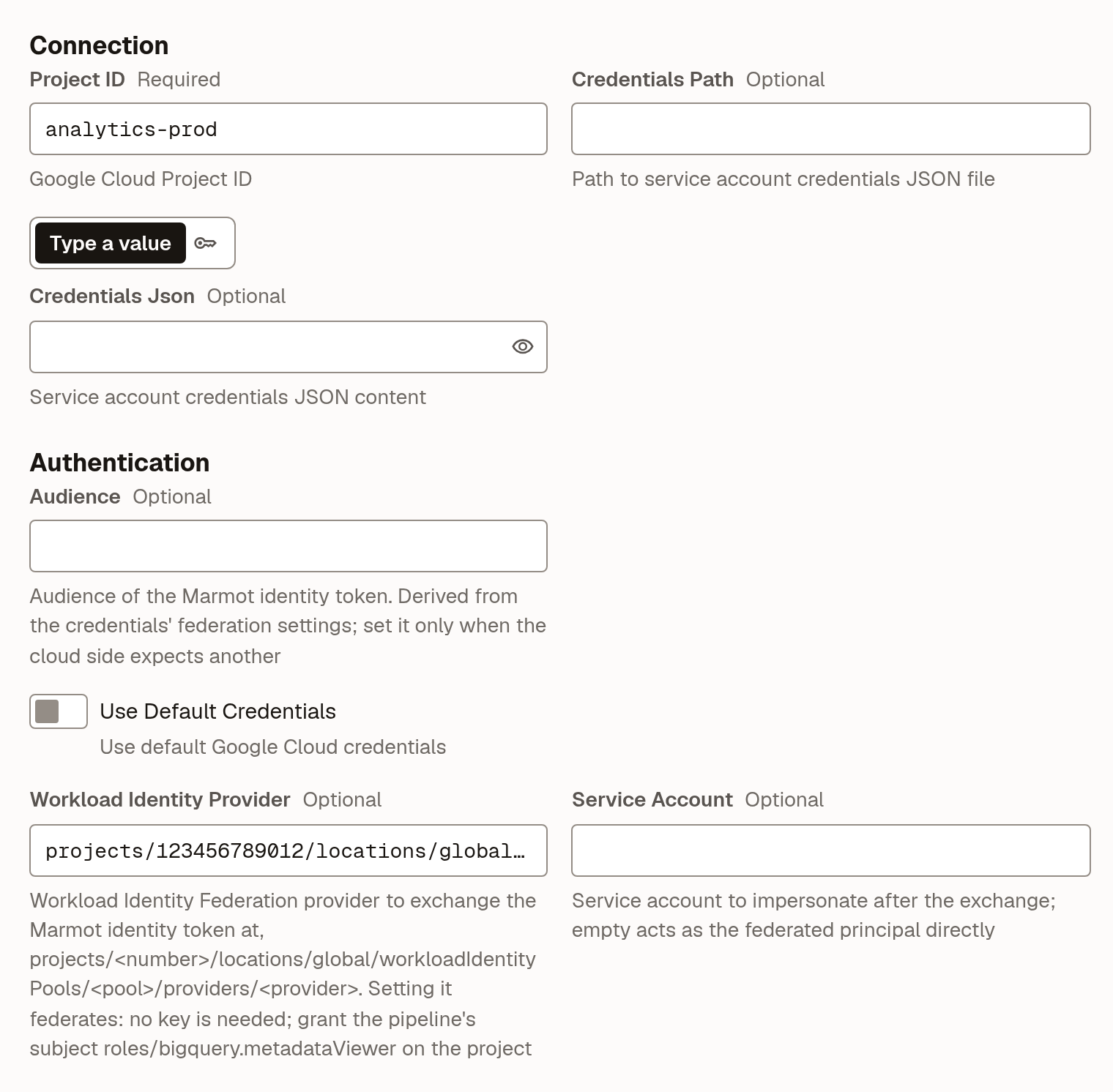
analyticsas the Pipeline name and select Continue. - Set Project ID to
analytics-prodand Workload Identity Provider to$POOL/providers/marmot, leave the key fields empty and select Check and continue. - Turn on Run on a schedule, set it to
0 */6 * * *and select Create pipeline.
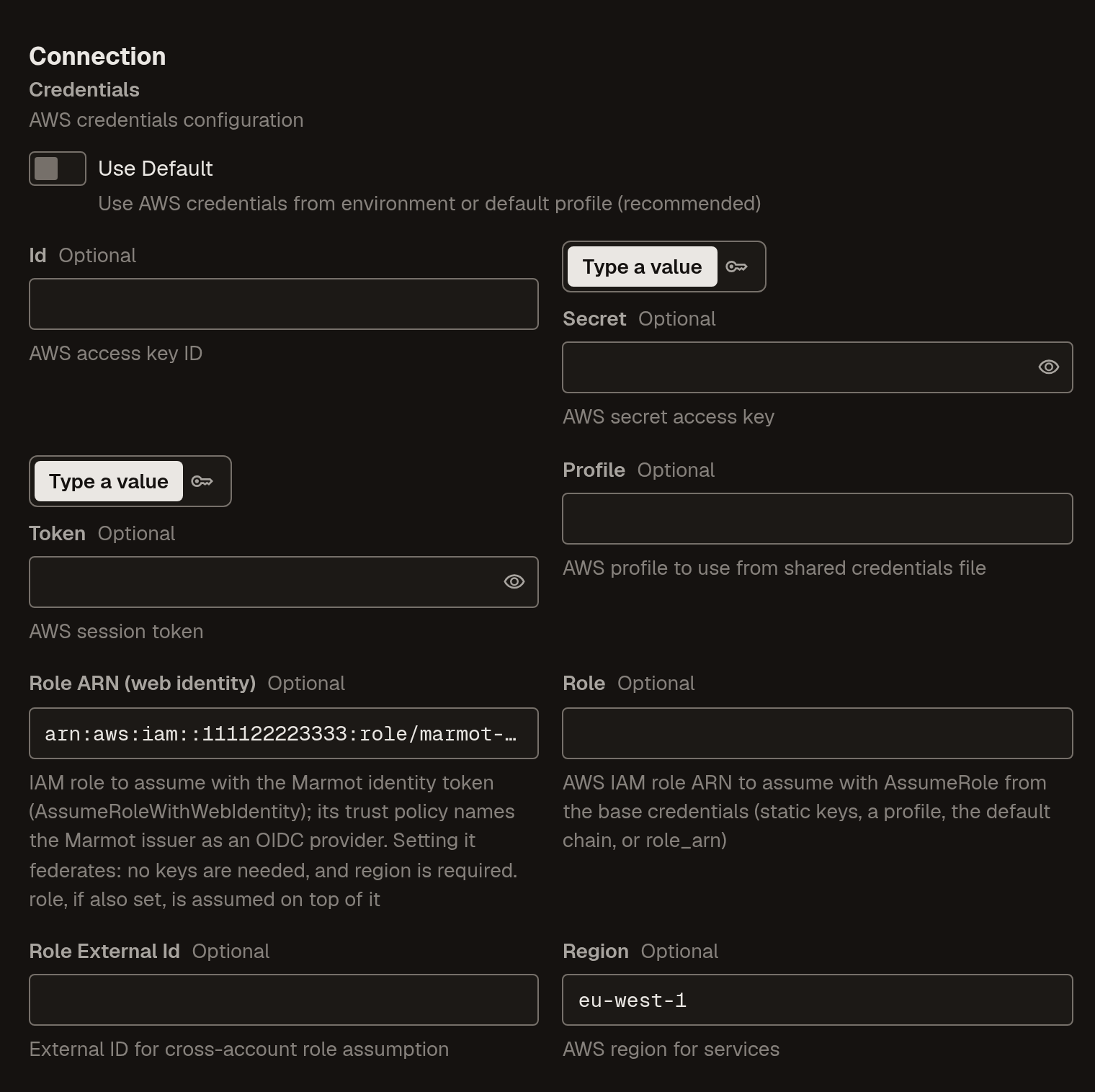
- Select AWS Glue, enter
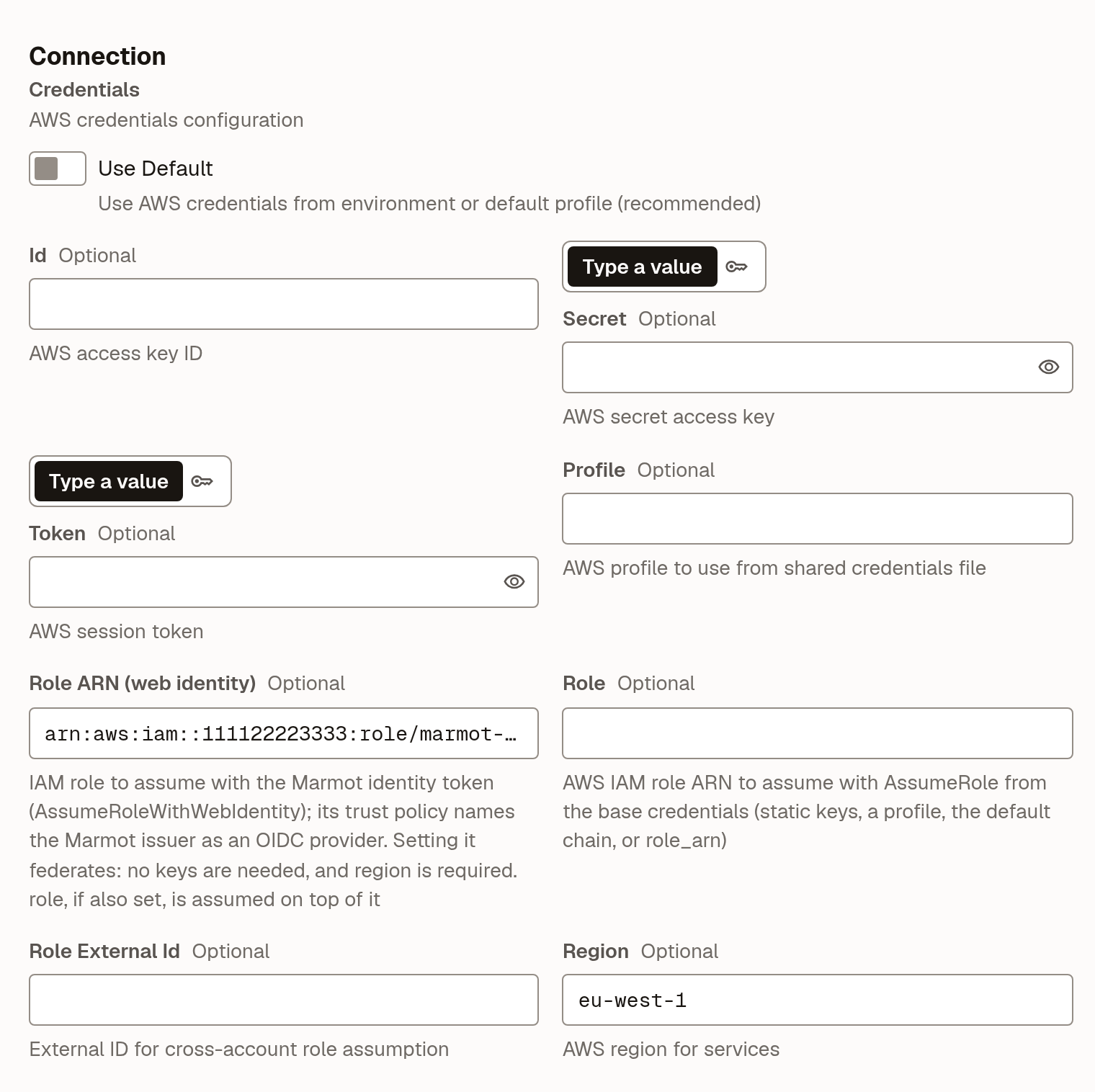
lakeas the Pipeline name and select Continue. - Under Credentials, turn off Use Default, set Role ARN (web identity) to
arn:aws:iam::<account-id>:role/marmot-lakeand Region toeu-west-1, then select Check and continue. - Turn on Run on a schedule, set it to
0 */6 * * *and select Create pipeline.
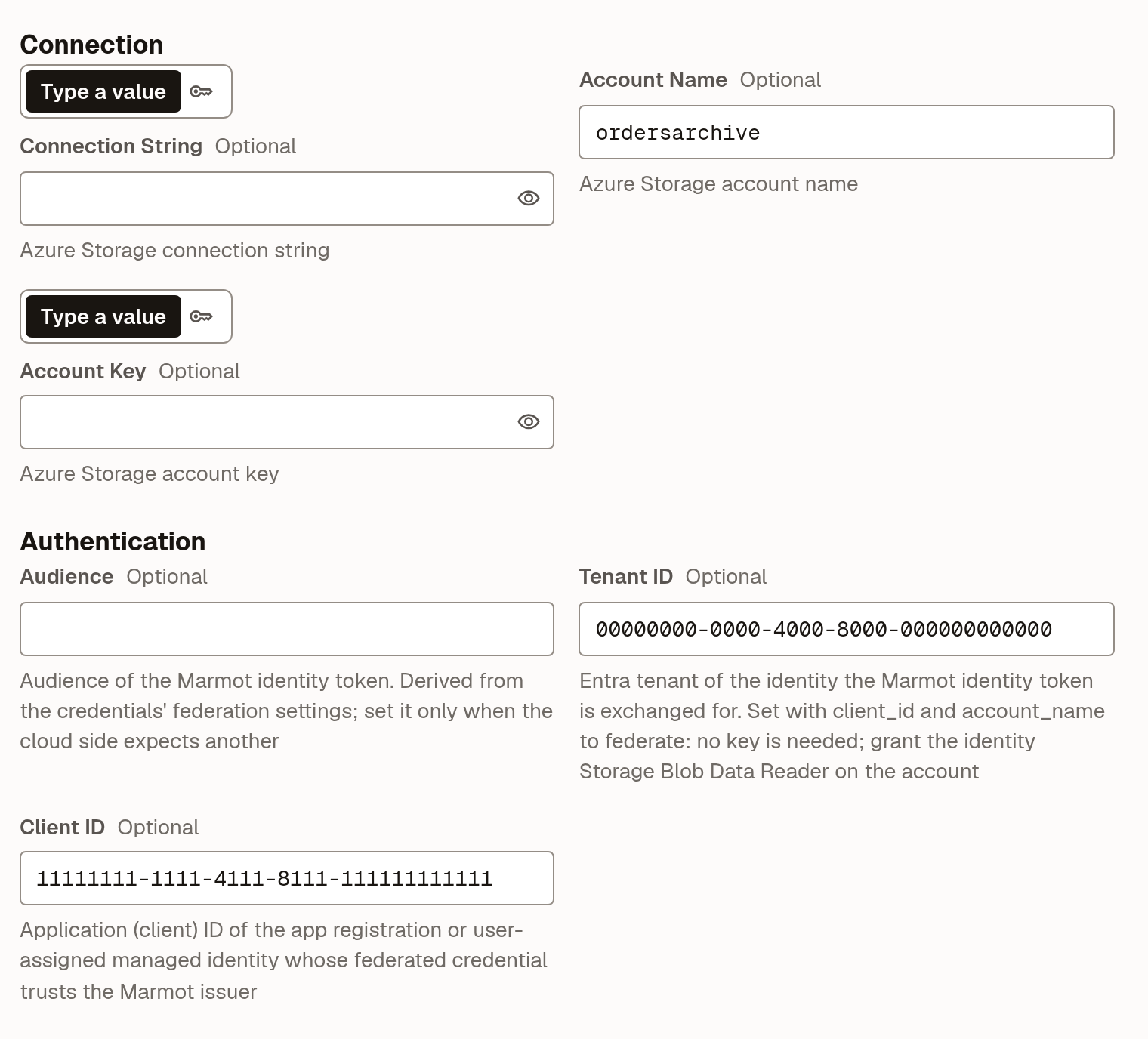
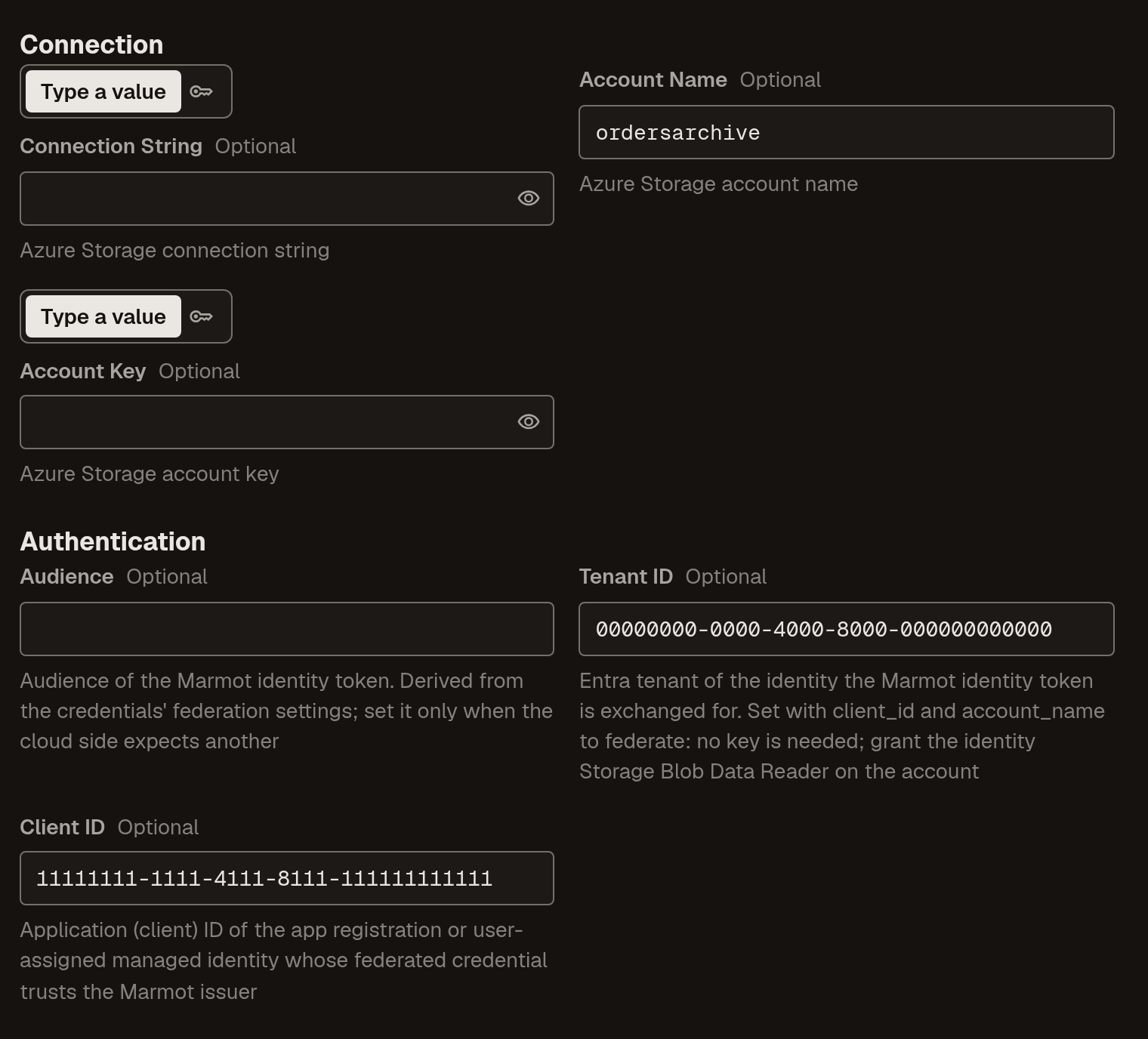
- Select Azure Blob Storage, enter
blobsas the Pipeline name and select Continue. - Set Account Name to
ordersarchive, Tenant ID to your tenant and Client ID to the registration's client ID, leave the keys empty and select Check and continue. - Turn on Run on a schedule, set it to
0 */6 * * *and select Create pipeline.
Check that it worked
Open the pipeline under Plugins and select Run now. When the run succeeds, the datasets, tables or containers appear under Discover. From the CLI, marmot runs list --pipelines <name> lists its runs. Each guide has a troubleshooting table for the errors you are most likely to see.
If the first run is denied right after you granted access, wait a few minutes and run it again. IAM bindings on Google Cloud and role assignments on Azure take a moment to propagate. On AWS, every launch is in CloudTrail as an AssumeRoleWithWebIdentity call with the session name marmot and the pipeline's subject, so a denied run is in there too, with the subject the pipeline presented.
Sources that need a password
A Postgres on RDS or a Kafka cluster with SASL still wants a password. Keep it in Google Secret Manager, AWS Secrets Manager, Azure Key Vault or HashiCorp Vault, and let a secret store read it at launch. The store uses keyless auth too, as secretStore:<name>, trusted the same way as a pipeline, and Marmot keeps the address of the secret, never the value. In the pipeline, choose From secret store for the password field:
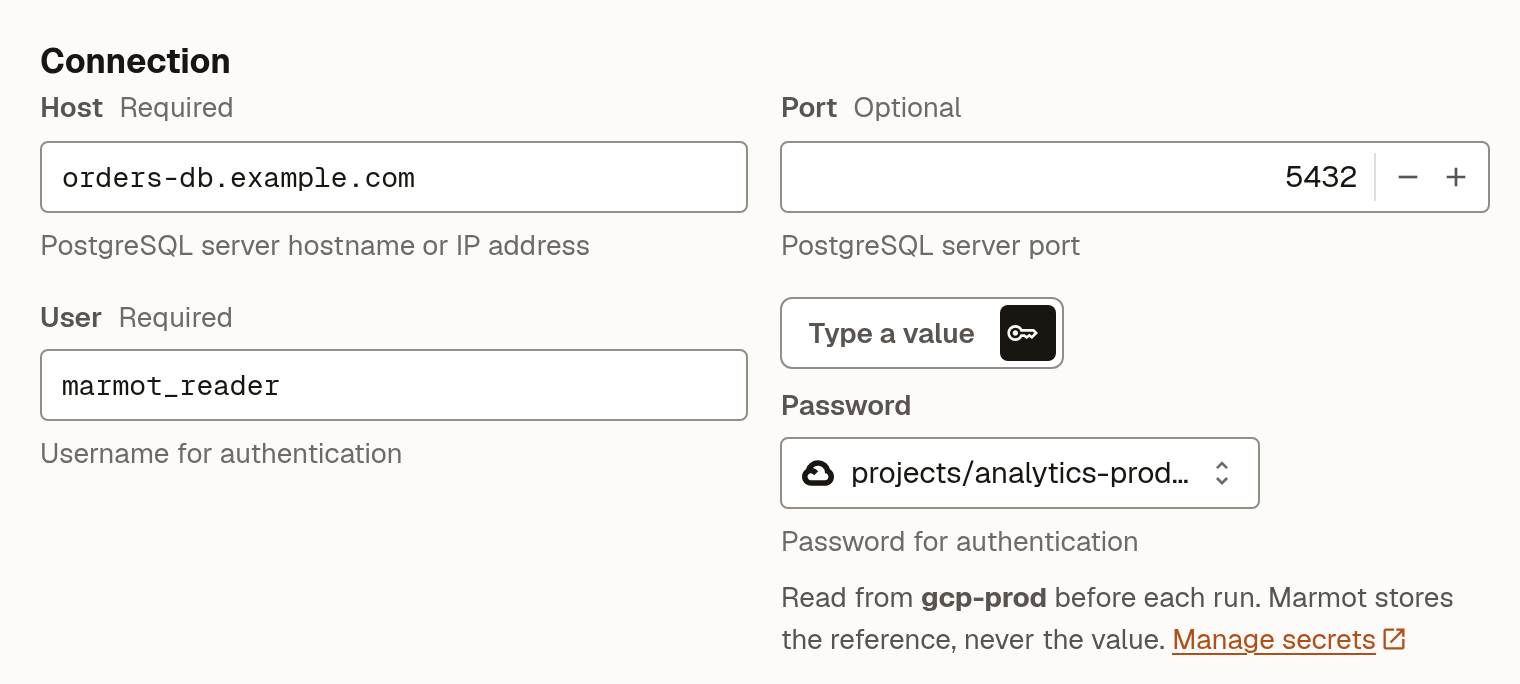
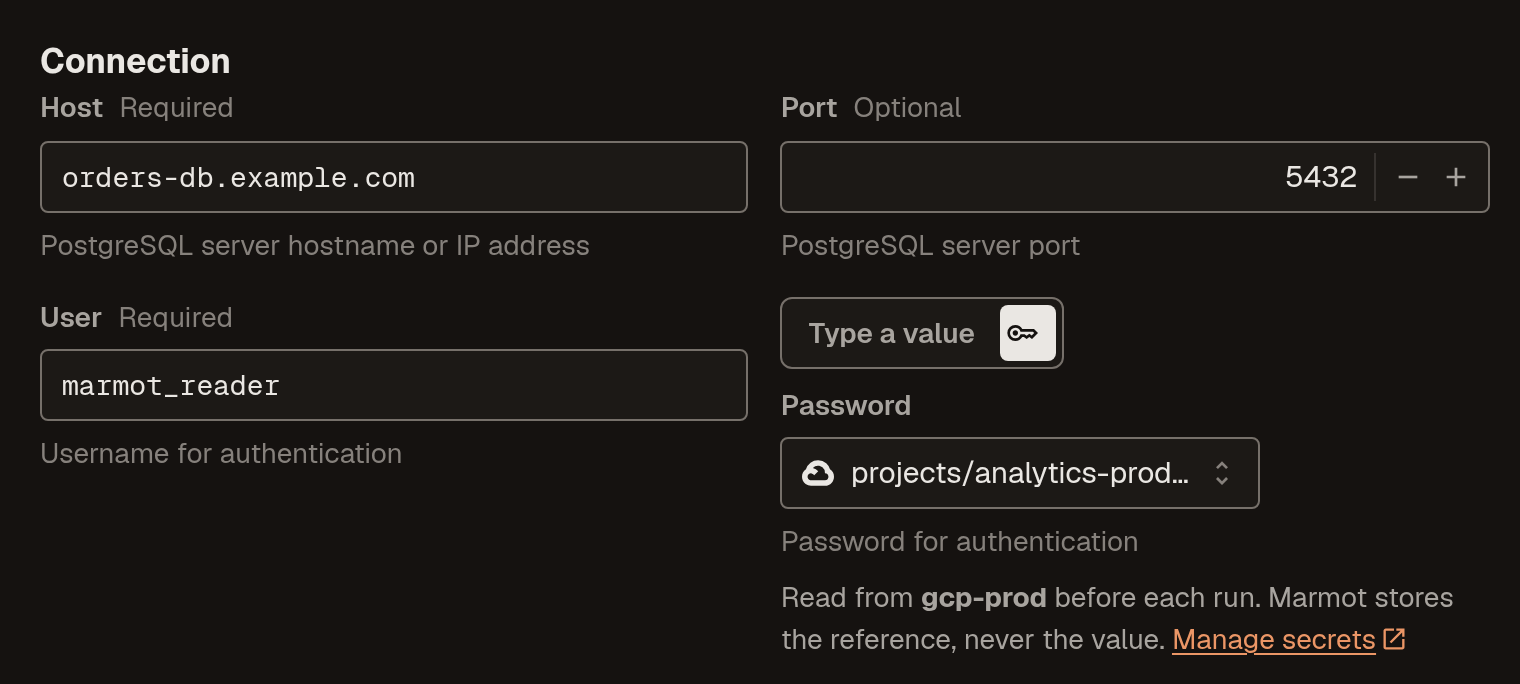
Rotating the password is adding a version in your secret manager. The next run picks it up. Each cloud guide walks through the store for that cloud, and the secret stores page covers Vault, roles and rotation.
Nothing to rotate
Keyless auth is available on Marmot Cloud and Marmot Enterprise today, for the Google Cloud, AWS and Azure plugins that can federate and for secret stores on Google Secret Manager, AWS Secrets Manager, Azure Key Vault and HashiCorp Vault. Once your cloud trusts your instance, adding a source is a grant on your side and a pipeline on ours. No key is created, so there is nothing to rotate, nothing to leak and nothing to find in a config file a year from now.
Connect your cloud
The full guides for Google Cloud, AWS and Azure, with every step in the console, the CLI and Terraform.
Join the Community
Get help, share feedback and connect with other Marmot users on Discord.