Catalog your Kubernetes clusters
A data catalog usually stops at the data. It knows the table that holds subscription revenue and the owner of the payments topic, but not the service that writes to that table or the cluster that service runs in. For a lot of teams the runtime layer is Kubernetes, and it almost never makes it into the catalog.
We added three plugins to close that gap: one for self-managed clusters, and one each for the managed offerings we see most, Amazon Elastic Kubernetes Service and Google Kubernetes Engine (with Azure Kubernetes Service on the way). They share a single discovery engine, so a namespace, service, its deployment and its cron jobs land in the catalog as assets right next to your databases and topics. Once they are in the same graph you can draw lineage between them, and a table can trace back to the deployment that fills it and the cluster that deployment runs in.
This post is on how the Kubernetes plugins work and how to wire one up.
Why catalog Kubernetes
Most of what you want to know about a data asset is really a question about the thing that runs it. Which service writes this table. What does this cron job populate. Is the workload behind this pipeline healthy, and when did it last run. Today those answers live in the cluster, and getting them means finding someone with kubectl while everyone else waits.
Cataloging the cluster moves those answers into the open. The service, the deployment behind it and its cron jobs land next to your databases and topics, so the runtime and the data it serves sit in one place that anyone, and any agent, can query. You stop routing questions through the person who happens to have cluster access, and the people who own the data can finally see what produces and consumes it.
The nice part is how little it costs to get there. Kubernetes does not go stale: each Marmot discovery run reads the current state, not a wiki page that was wrong the moment someone renamed a deployment. And the cluster is already annotated. The labels, owner references, cron schedules and service accounts teams set to operate it come across as metadata for free, with no documentation to write. The plugin only ever reads, so the RBAC it needs is get and list.
What gets discovered
The plugin discovers namespaces, services, deployments, stateful sets and cron jobs, and optionally pods. It links them the same way Kubernetes does internally: a service to the workloads its selector matches, a workload to its pods by owner reference, everything up to its namespace.
Cron jobs come with run history built from their recent job runs, so the catalog shows whether last night's job actually succeeded. Pods are off by default; they are short-lived and would churn the catalog constantly, so you opt into discover_pods when pod-level visibility is worth it. The same reasoning keeps one-off jobs out: only jobs owned by a cron job are kept, and only as run history.
Each asset carries the metadata you would otherwise go digging for: images, replica counts, ports, schedules, service accounts, and so on. The Kubernetes plugin docs list every resource, option and field.
Self-managed, Amazon Elastic Kubernetes Service and Google Kubernetes Engine
There are three separate plugins, one per environment. Kubernetes is Kubernetes once you are talking to the API server, so they share a single discovery engine and produce identical assets, lineage and run history. What differs is how each one gets a token to talk to the cluster.
- The Kubernetes plugin is for self-managed and on-prem clusters. It uses an in-cluster service account, your kubeconfig, or a host, token and CA you hand it directly.
- The Amazon Elastic Kubernetes Service plugin wraps that engine with AWS IAM. You give it a cluster name and region; it looks up the endpoint from the Amazon Elastic Kubernetes Service API and mints a short-lived token from whatever AWS credentials Marmot is running with.
- The Google Kubernetes Engine plugin does the same with Google Cloud IAM and an OAuth token.
The property worth pointing out: on Amazon Elastic Kubernetes Service and Google Kubernetes Engine there is no static credential to store or rotate. Run Marmot on an instance in the same account or project and it authenticates as the identity it already has, on every run.
Setting it up
For any cluster you plan to keep cataloged, use the Terraform provider. A pipeline is a marmot_pipeline resource, so it goes through code review and lives in version control next to the infrastructure it describes. Here is a Google Kubernetes Engine cluster cataloged hourly:
resource "marmot_pipeline" "prod_gke" {
  name      = "prod-gke"
  plugin_id = "gke"

  config = jsonencode({
    project_id = "acme-prod"
    location   = "us-central1"
    cluster    = "prod"
  })

  cron_expression = "0 * * * *" # hourly
}
The Terraform docs go deeper on managing pipelines declaratively, and the Populating docs cover the CLI, Pulumi and the REST API.
Tying the cluster to the rest of the catalog
A cluster on its own is a map of what runs. It gets interesting when it sits next to everything else in the catalog.
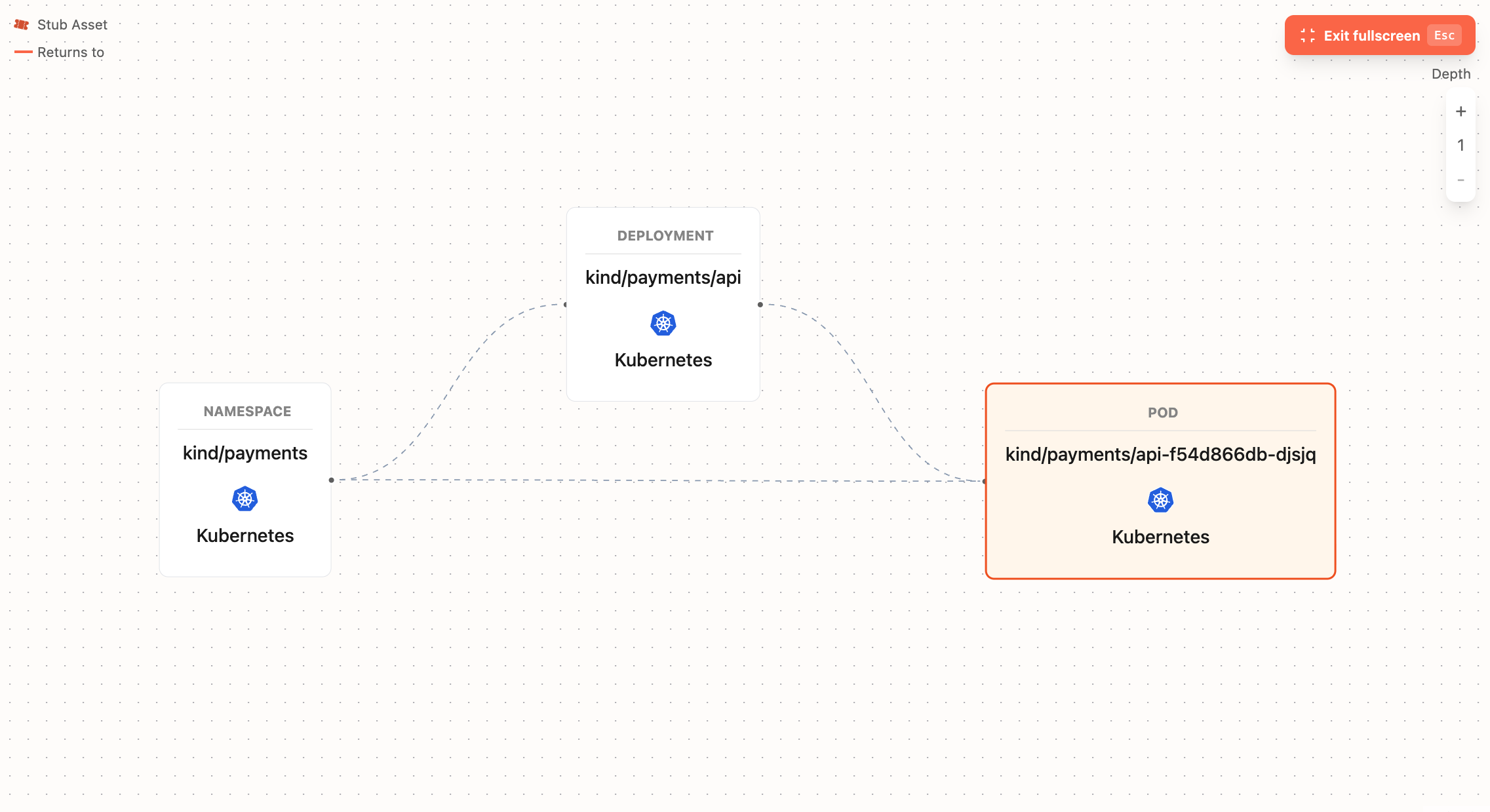
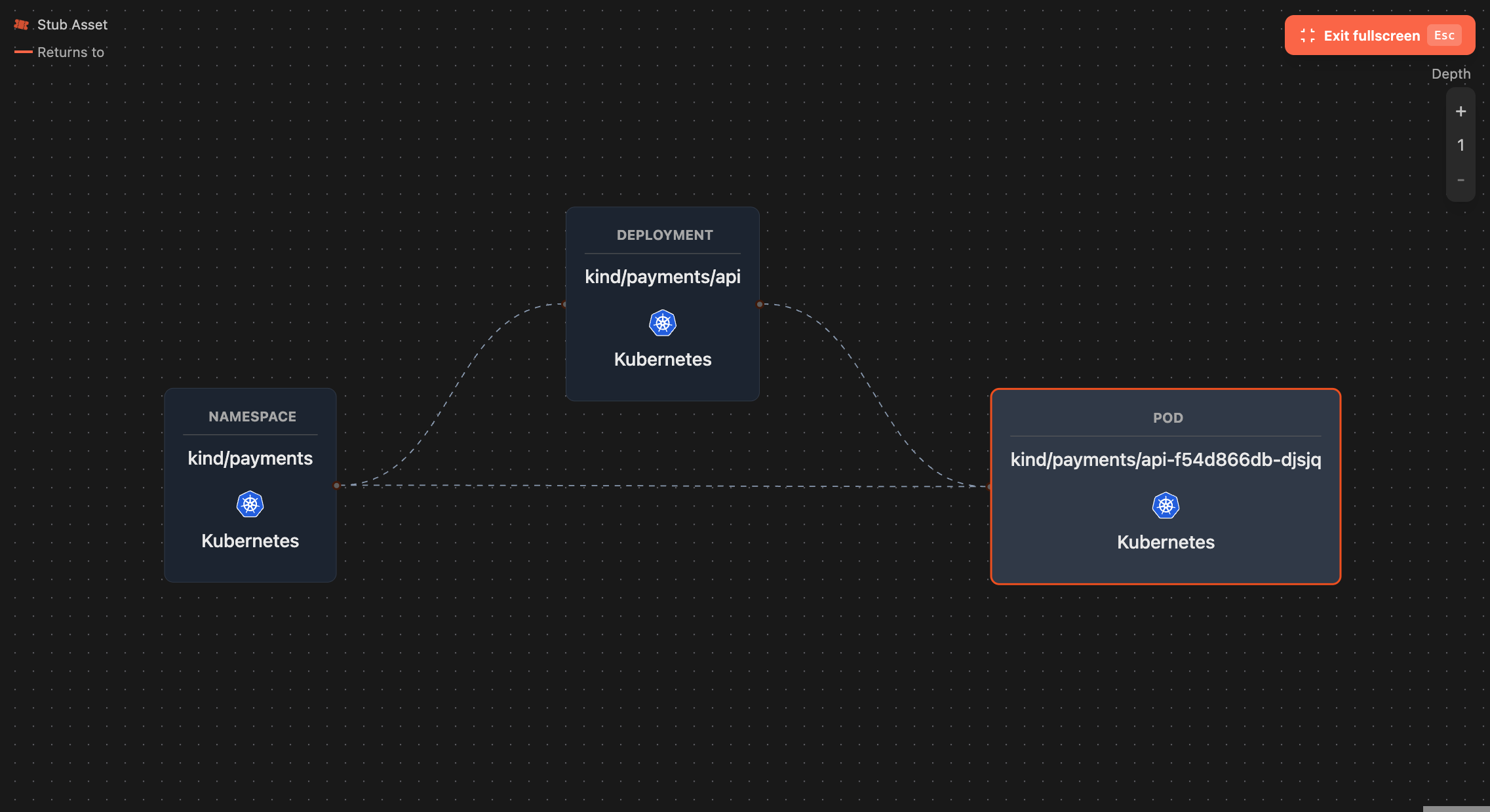
Your databases, topics and buckets are already there from their own plugins. Your services and cron jobs are now there too. Draw lineage between them and the graph closes. Take the payments API below: the Kubernetes service and its deployment are assets, and so is the MySQL database they write to. The edge between them connects the running workload to the data it produces.
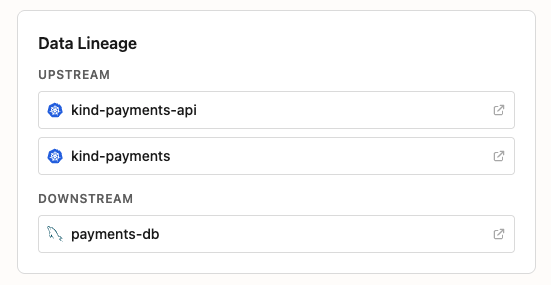
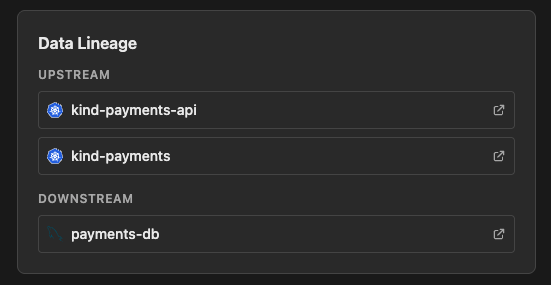
Now you can walk the graph either way: from the MySQL table up to the service that writes it and on to the namespace, cluster and cloud it runs in, or back down. Before you drop a column, you can see the deployment that depends on it. An on-call question like "what writes this table, and is that service healthy" becomes a path through the graph instead of a thread across three teams.
Marmot serves all of this over MCP, so the same graph is available to whatever assistant you already use. Point Claude Desktop at it and "which service writes to the payments database, and is it healthy" gets answered from the catalog, no kubectl required.
These plugins are experimental for now. If you run them, I want to hear where the discovery or the metadata falls short and what you would want the catalog to show. The fastest way to reach us is Discord.
Join the Community
Get help, share feedback and connect with other Marmot users on Discord.
Join Discord