Migrate from OpenMetadata to Marmot in five minutes
This one is for everyone running OpenMetadata and curious about Marmot. The new OpenMetadata plugin imports your entire instance in one run, about five minutes of setup, and keeps syncing from OpenMetadata until the day you switch it off. Marmot does all of it for free.
Don't take our word for it, see for yourself:
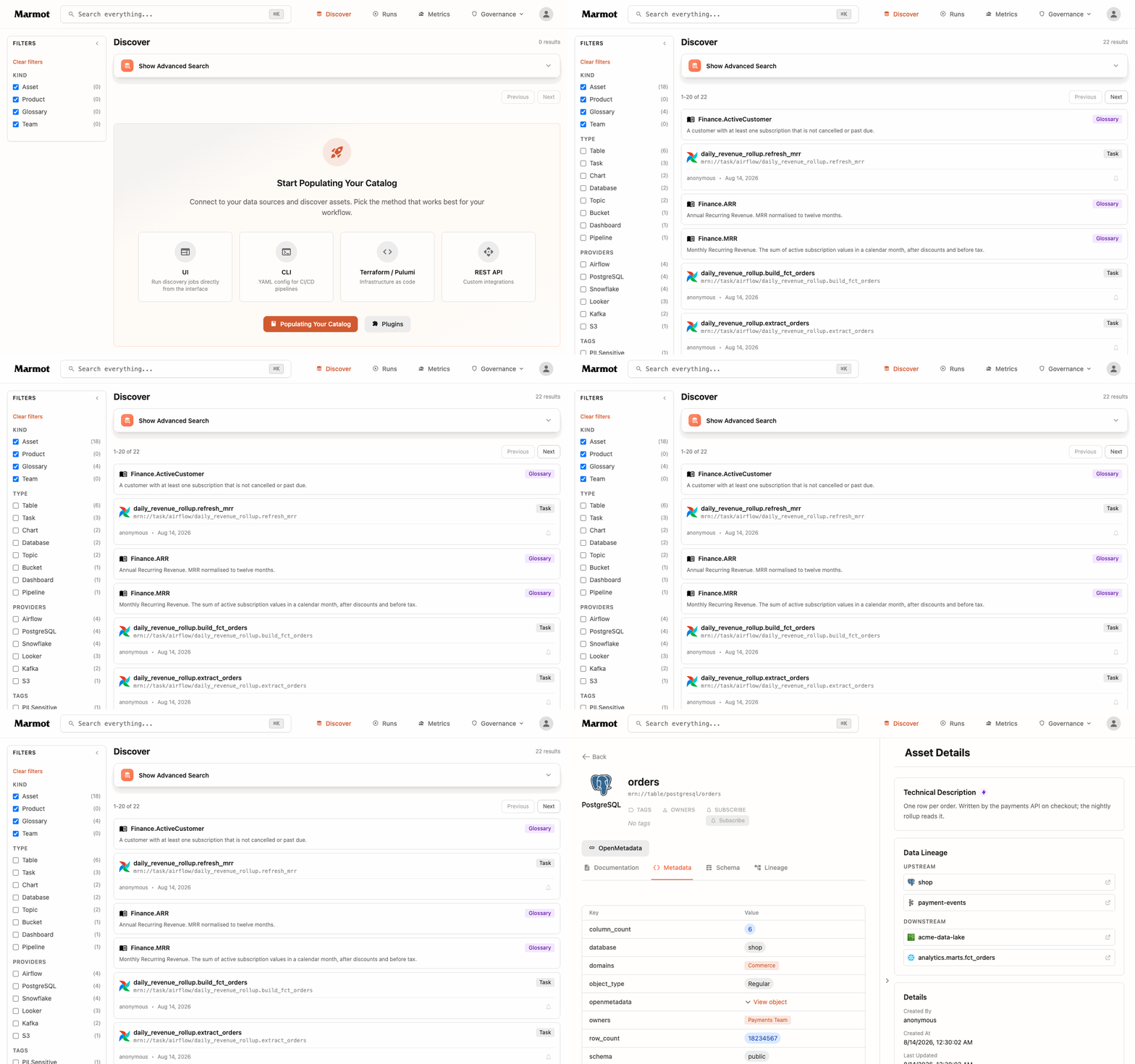
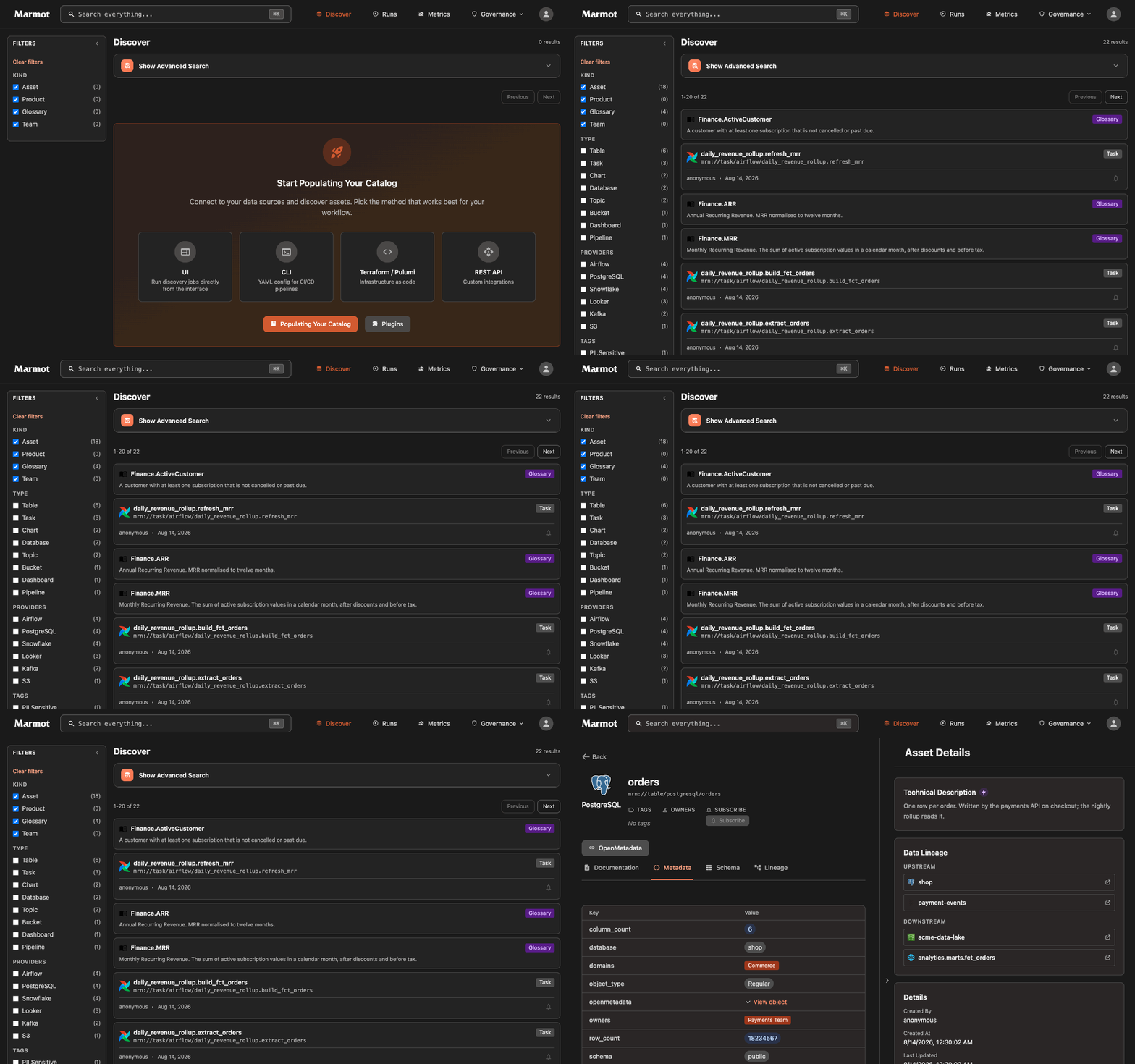
We built this plugin so you can try Marmot on your own catalog instead of a demo dataset. Everything you spent years curating in OpenMetadata, the descriptions, the owners, the glossary the business argued over, the lineage, is extracted in seconds and yours to play with in Marmot. If Marmot is not for you, turn it off and you have lost nothing.
This post is the migration, start to finish.
One run, your whole catalog
Point the plugin at your OpenMetadata host and one run imports tables, topics, buckets, dashboards, pipelines, ML models, API endpoints, the business glossary, lineage and recent pipeline executions. Every entity lands as the technology it actually describes: a table under a Postgres service becomes a PostgreSQL asset, addressed exactly as Marmot's own PostgreSQL plugin would address it. Technologies Marmot has no plugin for yet, such as Snowflake or Looker, come across under their own provider name. The result looks like a catalog Marmot built itself.
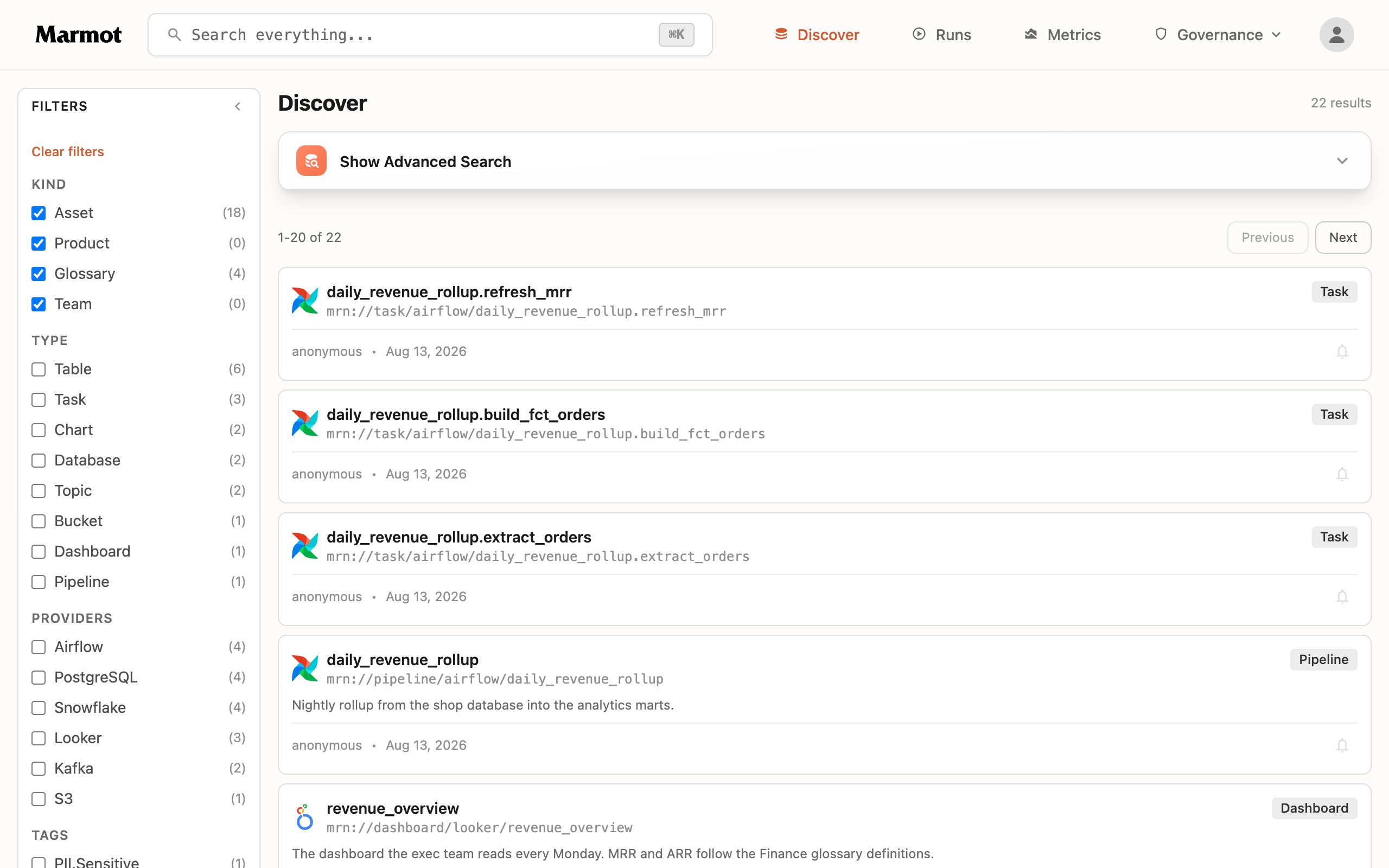
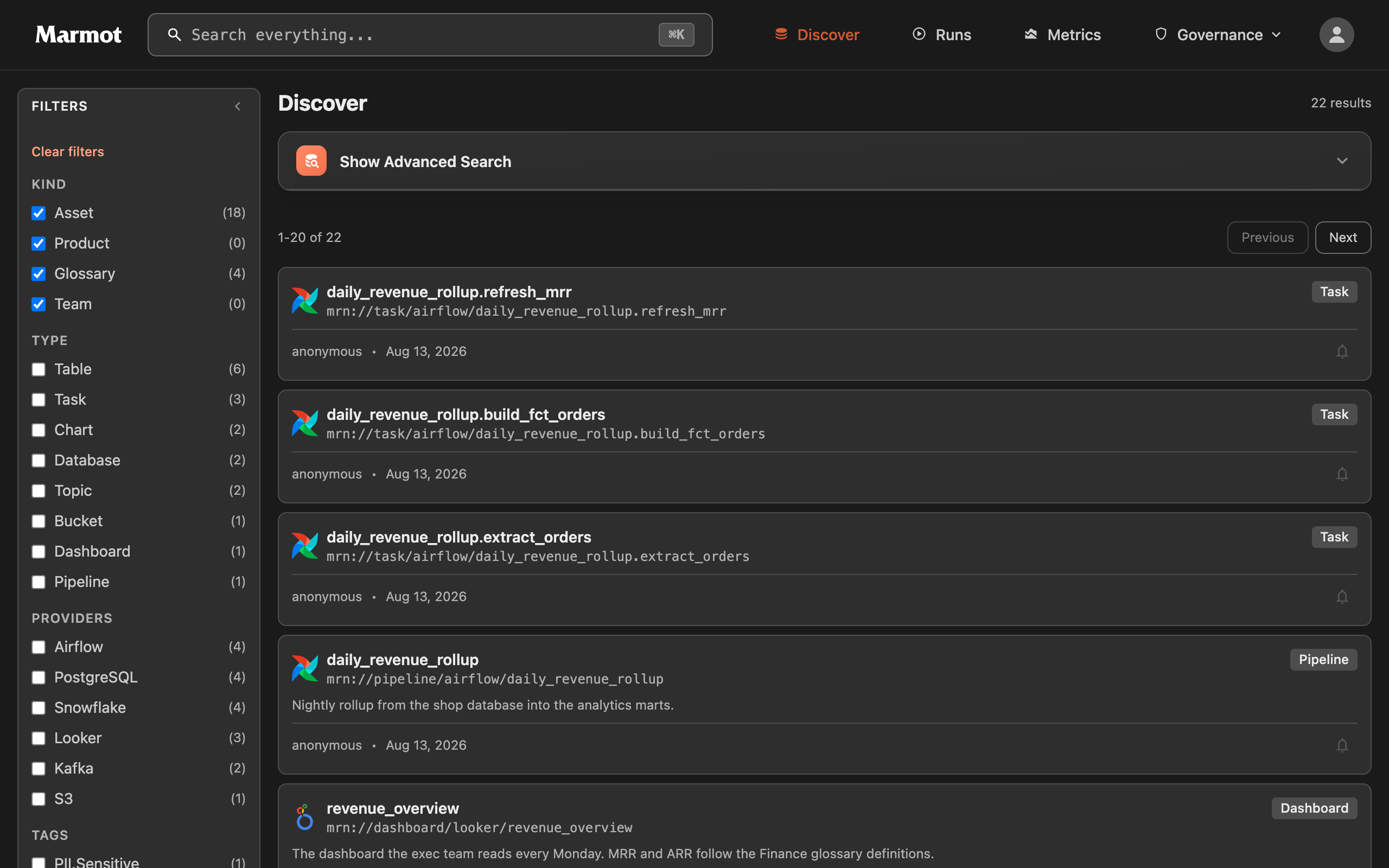
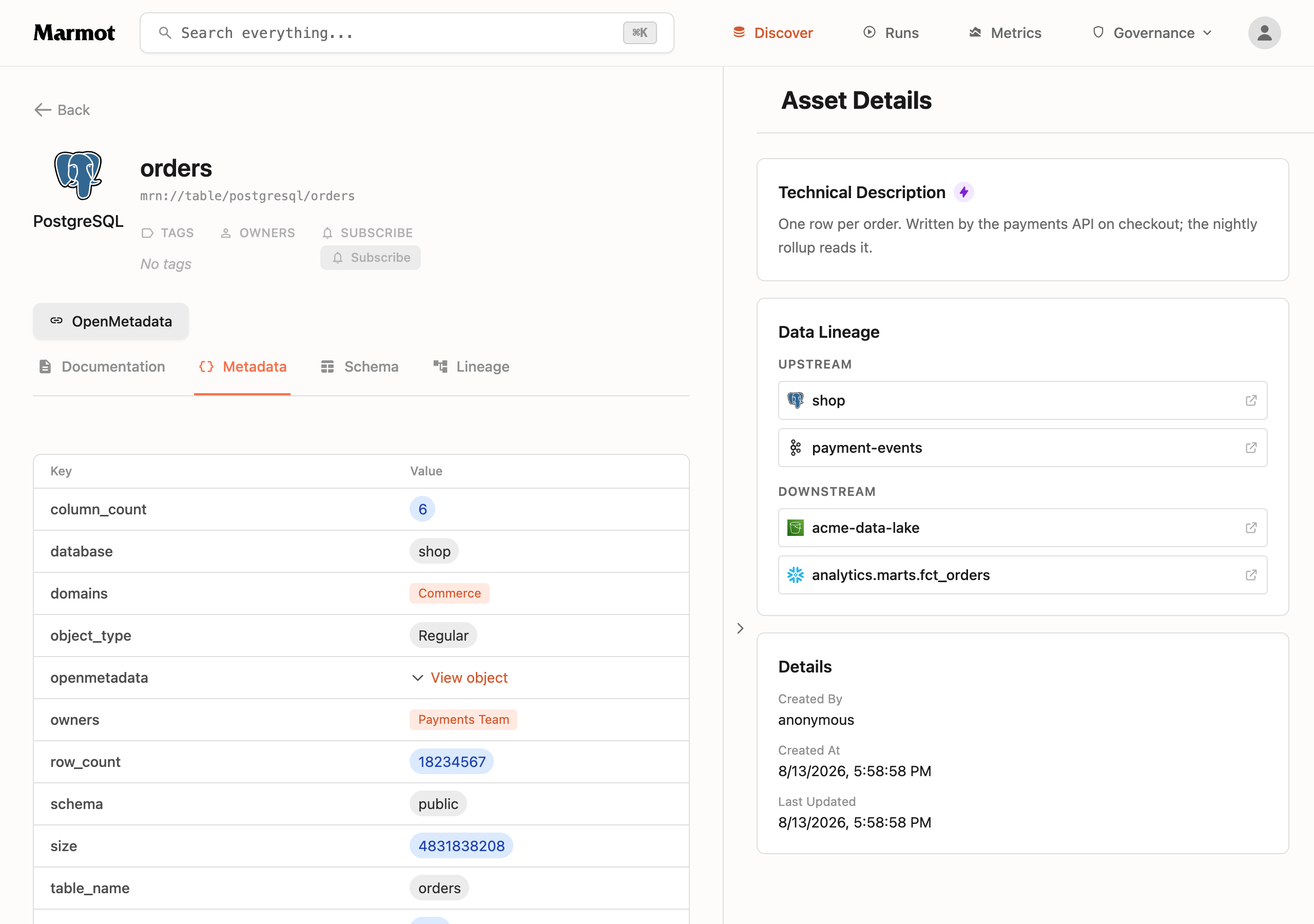
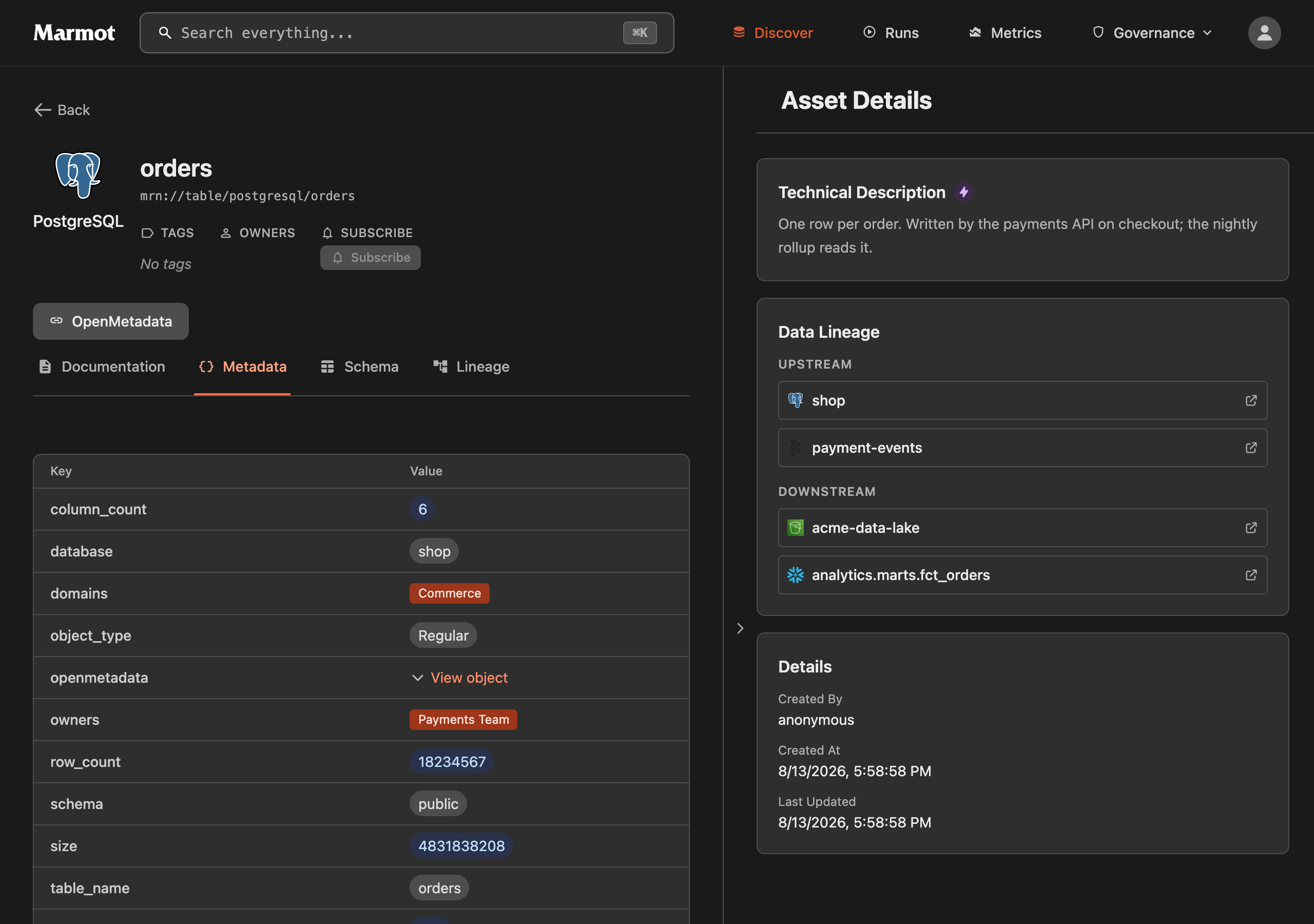
Descriptions, columns, tags, owners and domains come across on each asset, and nothing loses its trail. Every asset gets an OpenMetadata link that jumps straight to the entity it was imported from, and an openmetadata metadata object carrying the fully qualified name, the service and when the entity last changed, so mid-migration any asset in Marmot traces back to its source in one click. The glossary stays a first-class glossary rather than being flattened into tags, and lineage keeps the pipeline that moved the data on each edge. The plugin docs hold the exact entity-by-entity mapping.
The migration
If you do not have Marmot running yet, the quick start gets you there with Docker Compose in a couple of minutes.
1. Schedule the import
Grab a token in OpenMetadata under Settings, then Bots, and set the import up as a recurring pipeline, for example with the Terraform provider:
resource "marmot_pipeline" "openmetadata" {
  name      = "openmetadata-import"
  plugin_id = "openmetadata"

  config = jsonencode({
    host      = "https://openmetadata.company.com"
    jwt_token = # inject securely
  })

  cron_expression = "0 * * * *" # hourly
}
For injecting the token securely, use ephemeral values and resources, so the token never lands in your state or plan files.
Everything is imported by default; the configuration reference covers scoping down to specific services, and the same config works from the UI wizard, CLI, Pulumi and the REST API.
2. Keep working in both catalogs
Each scheduled run brings across whatever changed in OpenMetadata, so the two stay in step for as long as the move takes. Re-running is safe, and anything written in Marmot stays as you left it: an edited description is stored separately from the imported one, so the next run refreshes the imported side without touching the edit. The same holds for tags, owners and glossary terms added in Marmot. Curation never pauses for the migration.
3. Adopt native plugins one system at a time
When you are ready to catalog a system directly, add its own pipeline, for example the PostgreSQL plugin against the database OpenMetadata was describing. Imported assets carry the same identity the native plugin uses, so the native run takes over the existing assets instead of creating a second copy. Nothing gets deleted or re-pointed, and the descriptions people wrote stay put. Work through your systems at whatever pace suits.
4. Switch OpenMetadata off
When nothing depends on it anymore, stop scheduling the run. The imported assets stay exactly as they are; there is no cliff on the day you turn it off.
One warning for that last day: retire the plugin by removing its schedule, not with marmot ingest --destroy. Destroy deletes every asset the pipeline ever created, including ones a native pipeline has since taken over.
What you end up with
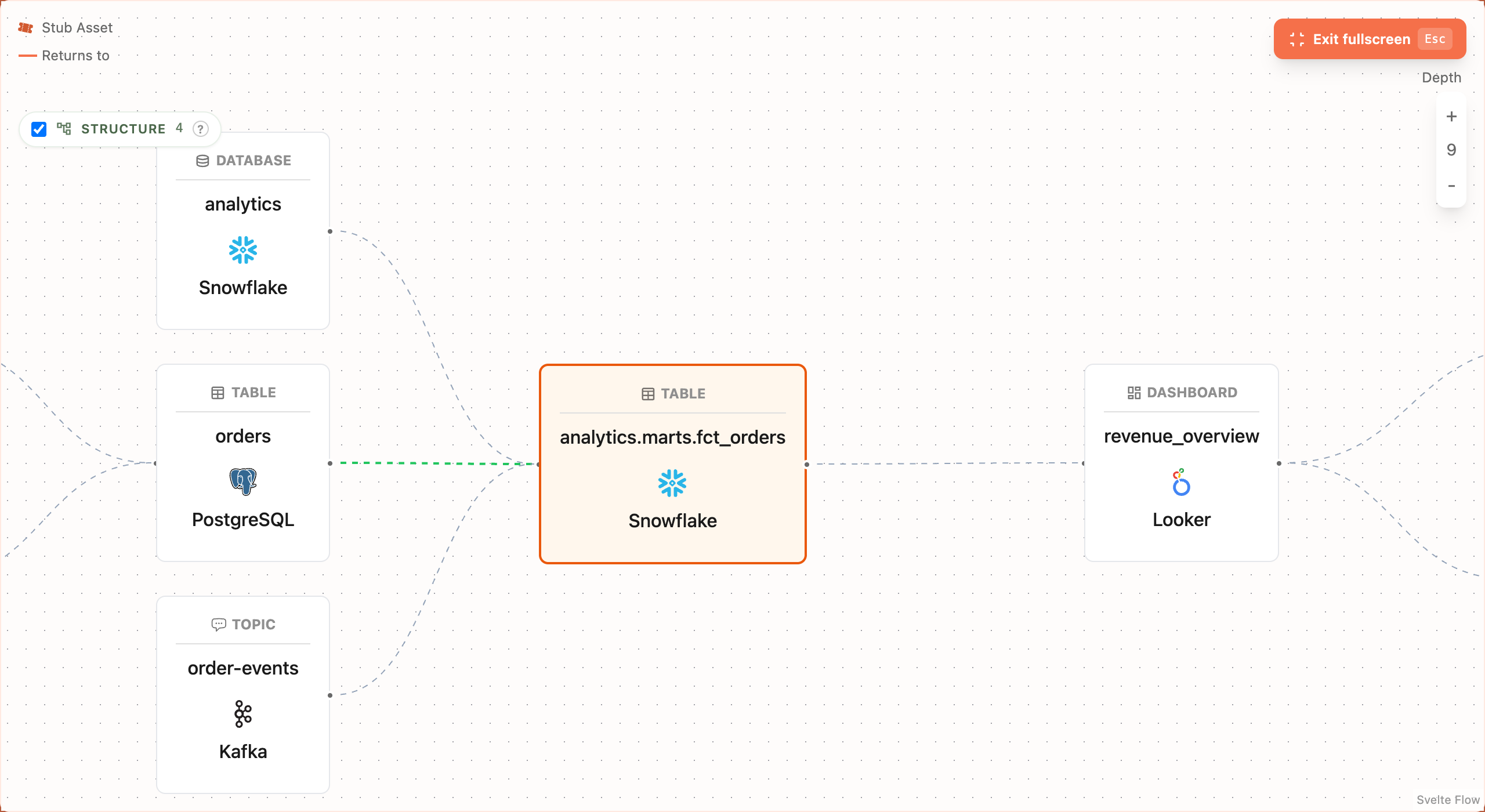
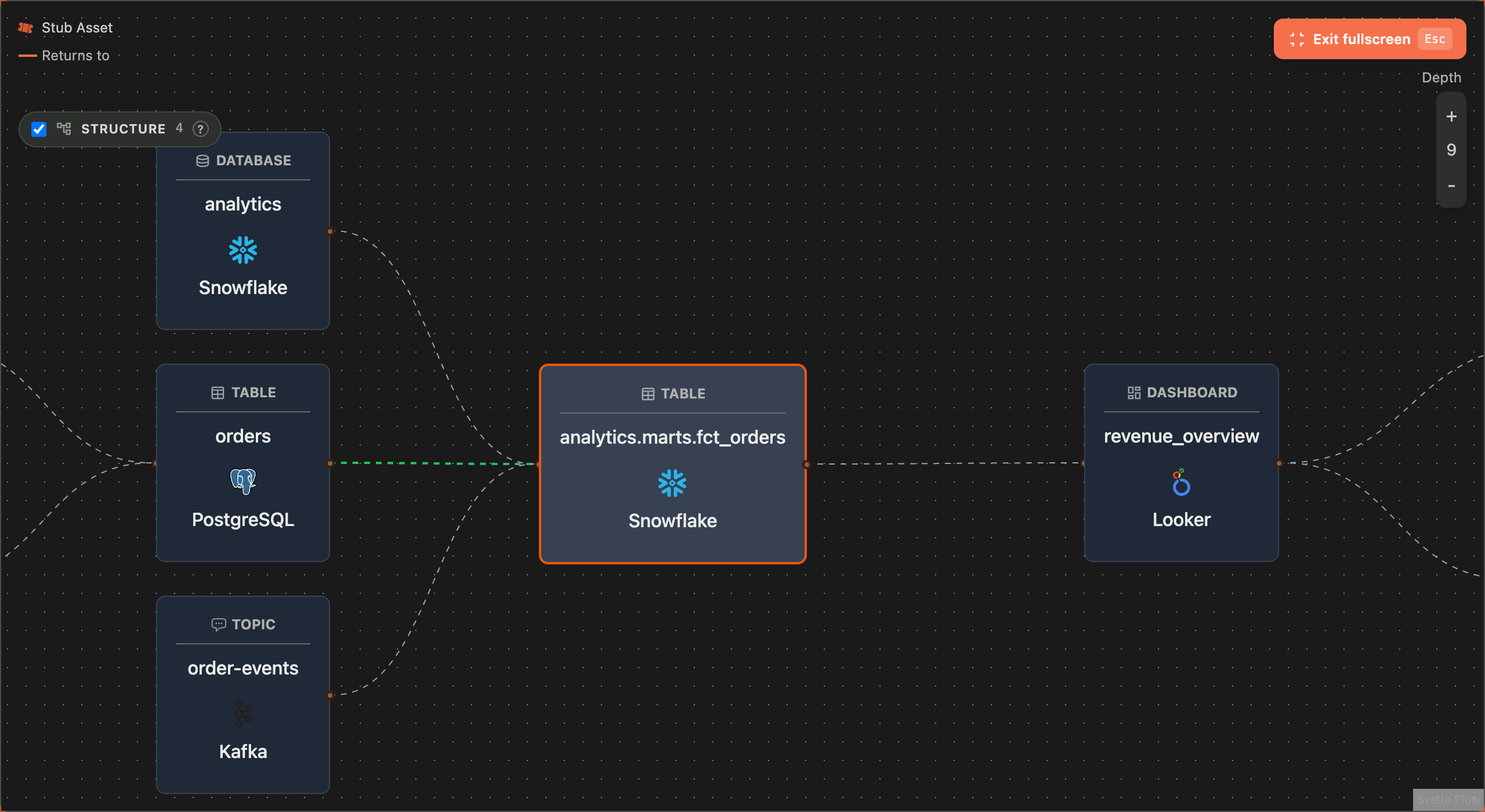
The whole catalog in one graph, whichever system each piece came from. Here is the path OpenMetadata held, a PostgreSQL table and a Kafka topic feeding a Snowflake mart feeding a Looker dashboard, rendered in Marmot:
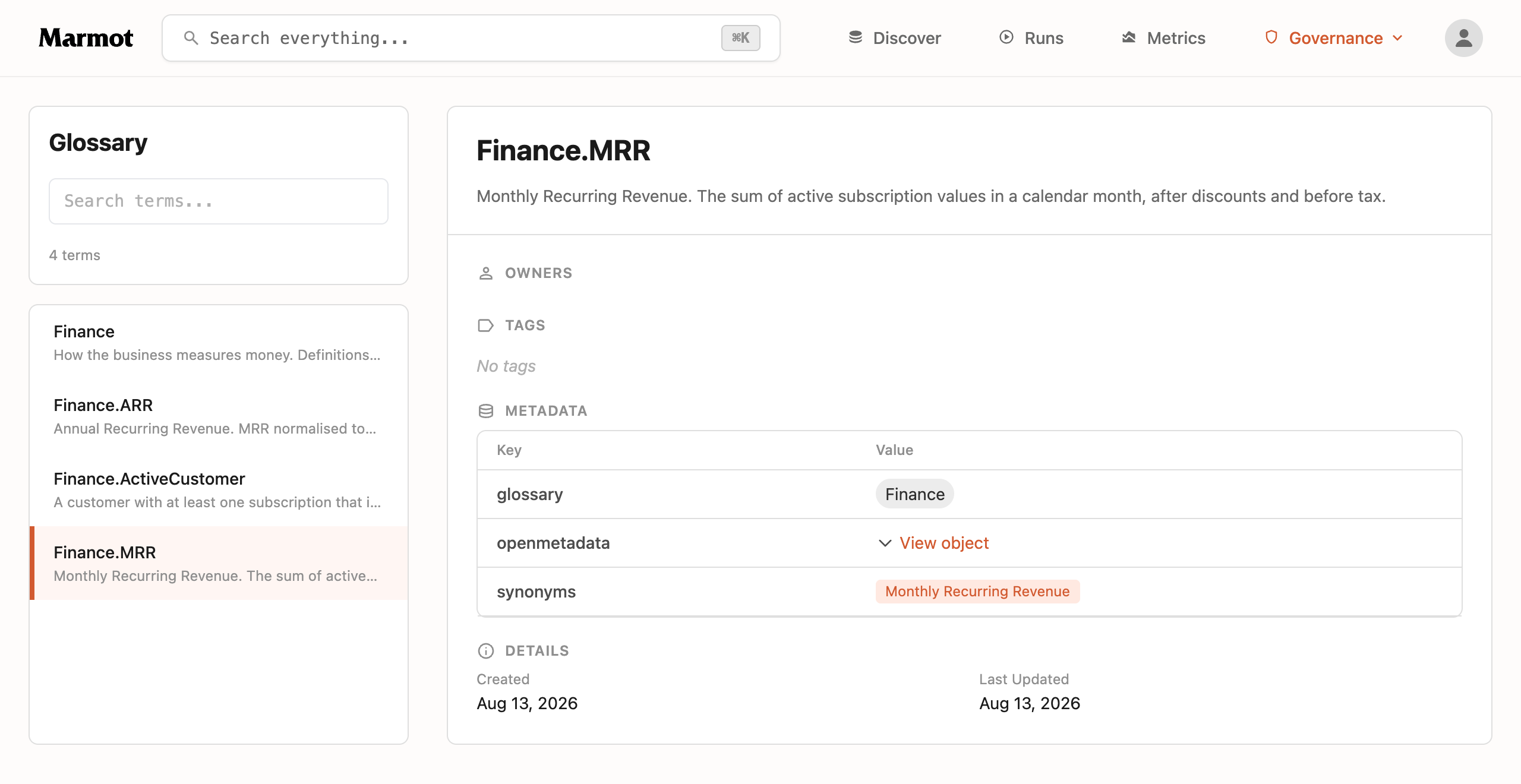
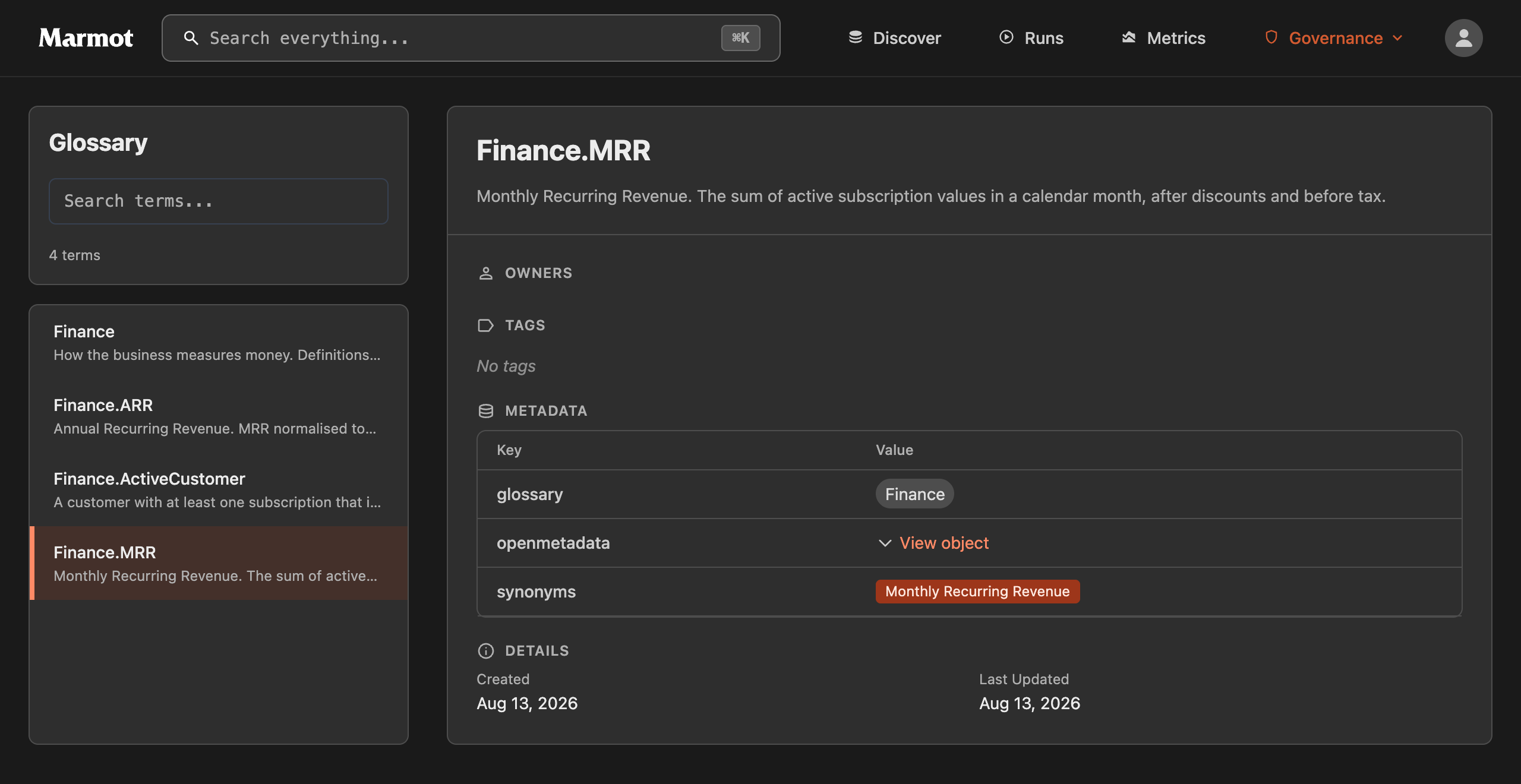
And the glossary your business spent months agreeing on, with definitions, synonyms and assignments intact:
All of it runs on one Go binary and a Postgres database, browsable in the UI and served to Claude, Cursor or any other assistant over MCP. If you are still weighing the move itself, the full comparison covers footprint, MCP and connectors line by line.
The plugin is experimental for now. If you run it against a real OpenMetadata instance, we want to hear what came across wrong and what got skipped that should not have been. The fastest way to reach us is Discord.
Join the Community
Get help, share feedback and connect with other Marmot users on Discord.
Join Discord