Query audit
Query audit lists every data query run through Marmot, allowed or refused: who ran it, from which client, against which source, how many rows came back and the outcome. Reading everyone's queries needs access:view; without it you see only your own, under History in Query.
Review queries
- Open Query audit under Operate.
- Choose a time range, then search by caller, table or SQL, or filter by caller and outcome.
- Expand a query to see its statement, why it was refused or failed and when it ran.
A refused query shows the permission it needed:
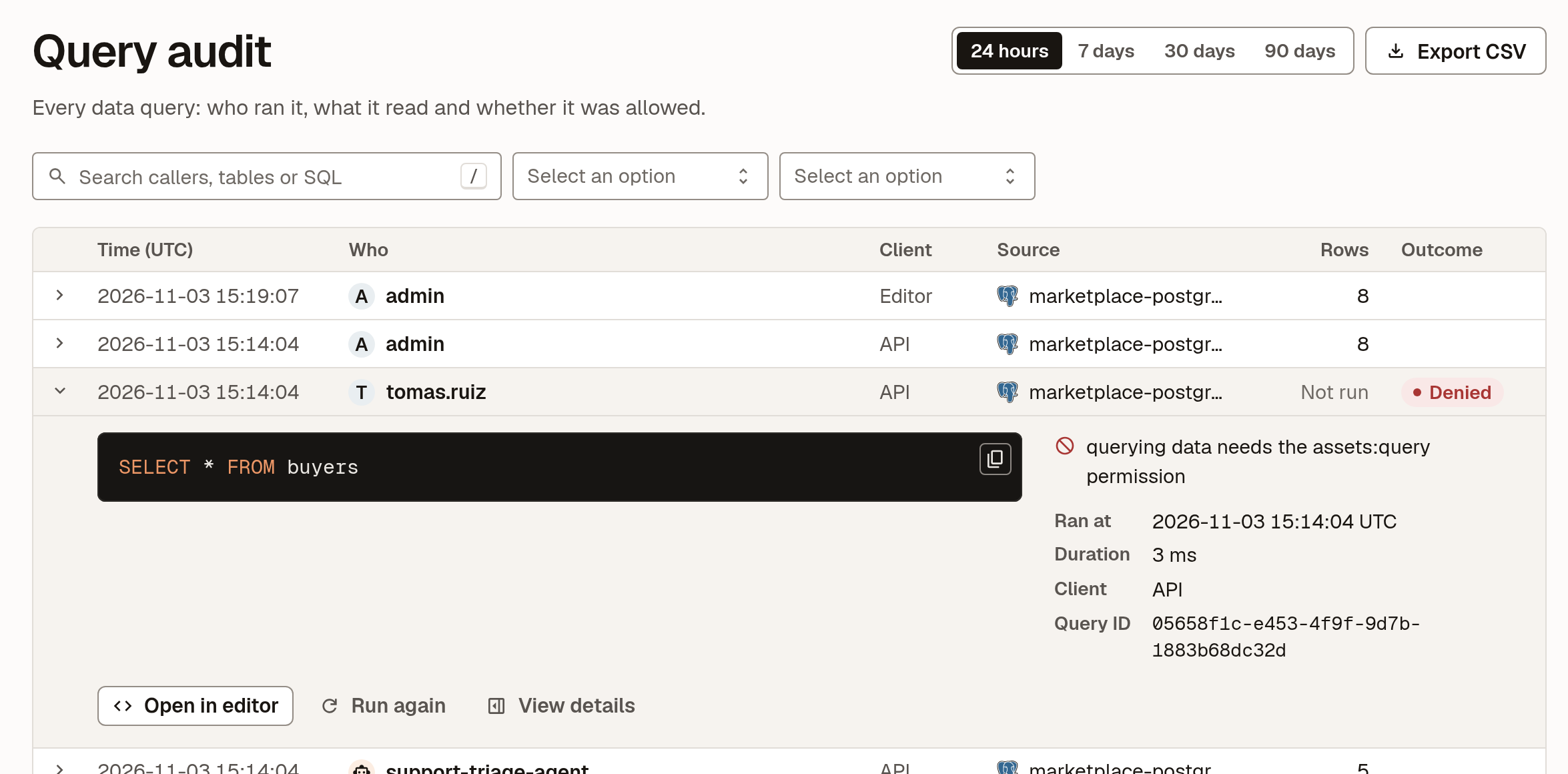
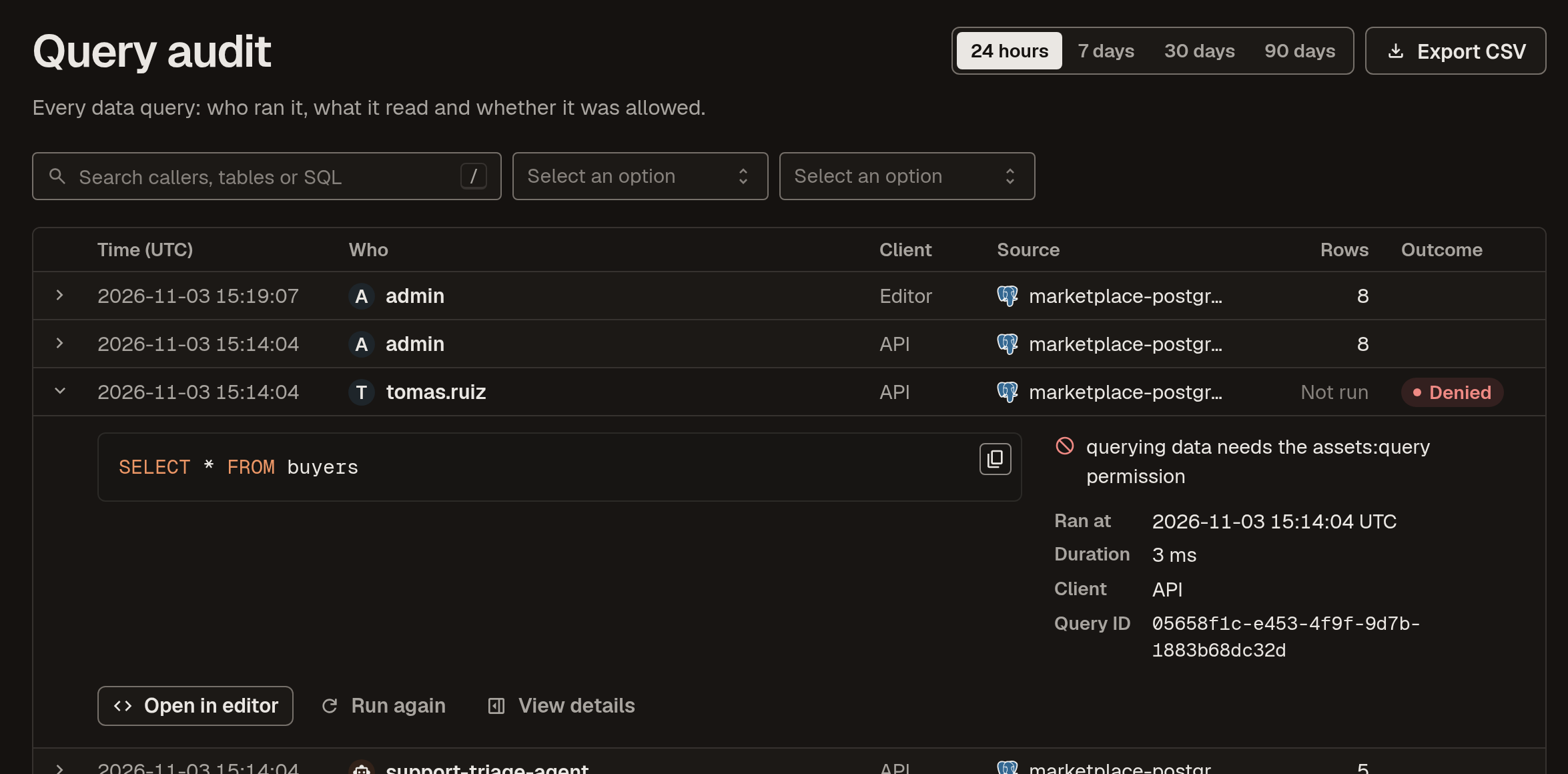
From an expanded query, Open in editor copies the statement into Query, Run again reruns it as you and View details shows the full record, including the tables it read and what the catalog said about them when it ran.
What's recorded
Each query keeps:
- the statement and the source it ran against;
- who ran it: a person, or a service account and the agent acting through it;
- the client: the Query editor, the API, the CLI or MCP;
- the tables it read, and their owners and personal data columns as the catalog had them;
- the outcome, the row count and whether the result was cut off at the row limit.
The rows themselves are never recorded.
Export
Export CSV downloads the queries in the chosen time range, for a review or to keep elsewhere.
Next steps
- Data queries: how queries are checked and which sources answer them.
- Users and access: grant
access:viewto the people who review queries.